Aspect ratio calculator
Type a width and height, get the ratio and the matching size.
 Image extender →
 Background changer →
Aspect ratio calculator examples.
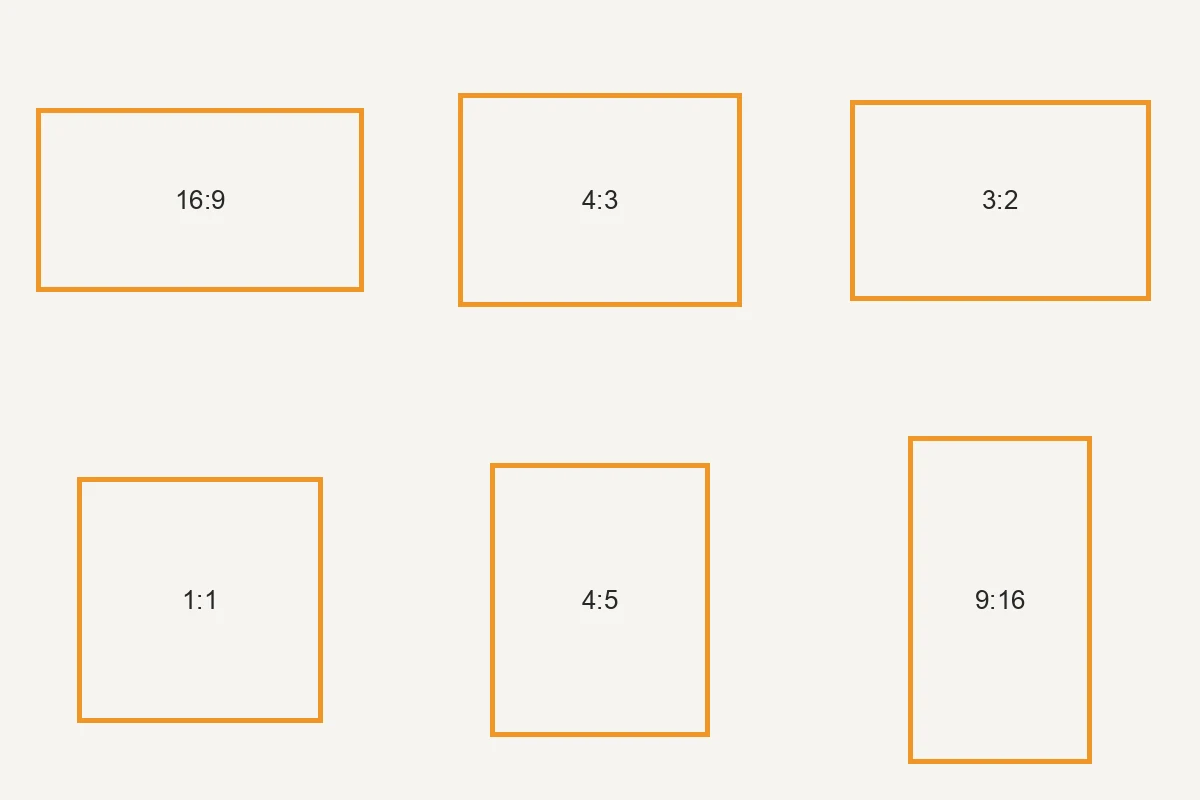
Common ratios to scale
Aspect ratio calculator features.
Reduced ratio and decimal
Enter 1920 by 1080 and see 16:9 and 1.778:1. Decimals such as 2.39 by 1 work too.
Same ratio, new size
Type a new width to get the height, or a new height to get the width, without doing the division.
Common ratio chips
Tap 16:9, 9:16, 4:3, 3:2, 1:1, 4:5, 2:3 or 21:9 to fill in the usual pixel sizes for that shape.
Aspect ratio calculator, step by step.
01
Enter a size
Type the width and height, or drop a photo to read its size. The photo is not uploaded.
02
Read the ratio
See the reduced ratio, the decimal, and a note such as close to 16:9 when it is near a common shape.
03
Scale it
Use the Same ratio, new size box to get the missing side for the size you need.
Aspect ratio calculator use cases.
- Planning a crop
- Check the ratio of a photo before you crop it to a post or a frame.
- Setting a new size
- Work out the height for a width you must use, such as a fixed-width web column.
- Checking a screen or video size
- Find out what ratio an odd resolution really is.
Aspect ratio calculator: best photos and fixes.
What a ratio tells you
A ratio only describes shape, not size. 1920 by 1080 and 1280 by 720 are both 16:9, so one can be scaled to the other with no stretching. Two photos with different pixel counts can share a ratio, and the calculator reduces the numbers to the simplest pair so you can see it.
Why 1366 by 768 is close to 16:9
1366 by 768 is not exactly 16:9, because 768 times 16 divided by 9 is about 1365.3. It is within a fraction of a percent, so the tool says it is close to 16:9. Many laptop screens use this size for that reason, and a 16:9 video fills them to within a pixel or so.
Ratios for social posts
Common shapes are 1:1 for a square post, 4:5 for a portrait feed post (1080 by 1350), 9:16 for stories, Reels and TikTok, and 16:9 for YouTube video. The chips list these with their usual pixel sizes, so you can match a photo to one before you resize it.
Ratios for print sizes
A 4 by 6 inch print is 3:2, which is the shape of most camera photos. An 8 by 10 print is 4:5, so a 3:2 photo needs a crop. A4 paper is about 1:1.414. Check your photo's ratio against the print size to see how much will be trimmed.
Cropping or padding
When a photo does not match the target ratio you can crop it, which loses the edges, or pad it, which adds space around it. Cropping keeps the picture filling the frame. Padding keeps everything but adds bars or a border. The ratio tells you how big either change will be.
Megapixels are not a ratio
A 12 megapixel photo can be 4:3 or 3:2 or 16:9. Megapixels count the pixels and the ratio describes the shape. When you resize, keep the ratio the same to avoid stretching, and change it only on purpose with a crop.
Aspect ratio calculator FAQ.
How do I find the aspect ratio of an image?
Enter its width and height, or drop the photo to read them. The tool reduces the numbers, so 1920 by 1080 shows 16:9.
How do I get the new height for a width?
Use the Same ratio, new size box. Type the new width and the height is filled in, or the other way around.
What is 1.778:1?
It is 16:9 written as a decimal. Divide 16 by 9 and you get about 1.778.
Does it work with decimals?
Yes. You can enter values such as 2.39 by 1 to find a cinema widescreen size.
Is the photo uploaded when I drop it?
No. The photo is only read in your browser to get its width and height and show it in the box.
Is it free?
Yes. It is free, needs no sign-in and uses no credits, and your photo never leaves your device.