Nano Banana Pro
Google's most capable image model, online. Generate from text or edit an uploaded photo with natural-language instructions.
Nano Banana Pro examples.

Jazz festival poster made with Nano Banana Pro, with a legible headline

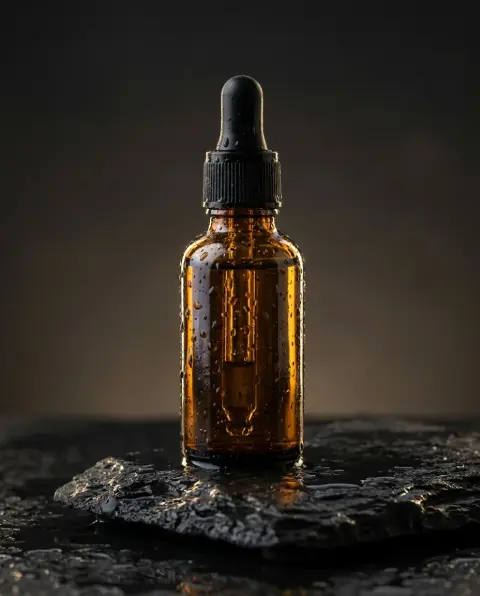
Product photo of an amber serum bottle on wet black stone

Mountain lake at sunrise with mist and pine forest
Nano Banana Pro features.
Text that is actually readable
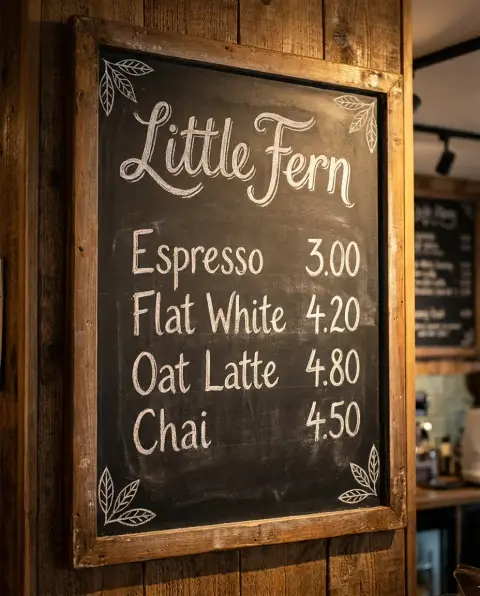
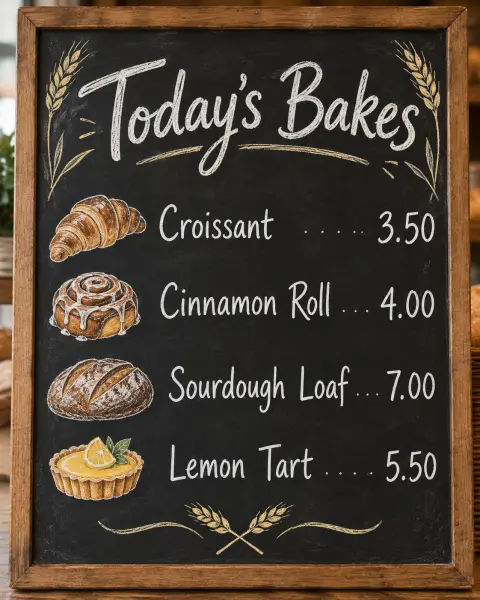
Posters, labels, menus and infographics with correctly spelled text, one of the model's biggest improvements over earlier image models.
Edit with plain language
Upload a photo and say what to change: 'make it night', 'add a red scarf', 'remove the car'. The rest of the image stays intact.
Multi-image consistency
Combine several reference images and keep characters, products and styles consistent across outputs.
Up to 4K output
High-resolution results suitable for print and large displays.
Nano Banana Pro vs Nano Banana.
| Nano Banana Pro | Nano Banana | |
|---|---|---|
| Best for | Text in images, complex edits | Fast everyday edits |
| Max resolution | Up to 4K | 1024 px |
| Text rendering | Excellent | Good |
| Speed | Medium | Fast |
| Photo editing by instruction | Yes, multi-image | Yes |
Nano Banana Pro, step by step.
01
Describe the image or upload a photo
For text-to-image, write a detailed prompt. For editing, upload the photo and describe the change.
02
Generate
The model returns an image in a few seconds.
03
Refine
Adjust the prompt and regenerate, or move the result into one of the one-click tools.
Nano Banana Pro use cases.
- Marketing visuals with text
- Ads, banners and social graphics that need readable headlines.
- Product photography
- Place a product in a new scene while keeping its exact shape and branding.
- Photo editing by instruction
- Complex edits that would take an hour in Photoshop, done by describing them.
Nano Banana Pro: best photos and fixes.
Readable text
Nano Banana Pro renders text more reliably than most image models, including longer phrases and small labels. Put the exact text in quotes and say where it goes: "a coffee bag with 'Morning Ritual' in large letters and 'Single origin, Ethiopia' underneath". Check names and numbers before publishing.
Complex scenes
It handles scenes with many elements, such as a busy market or a product line-up, while keeping each element distinct. Describe the main subject first, then the setting, then smaller details. If something is missing, shorten the prompt and add details one at a time.
Editing photos
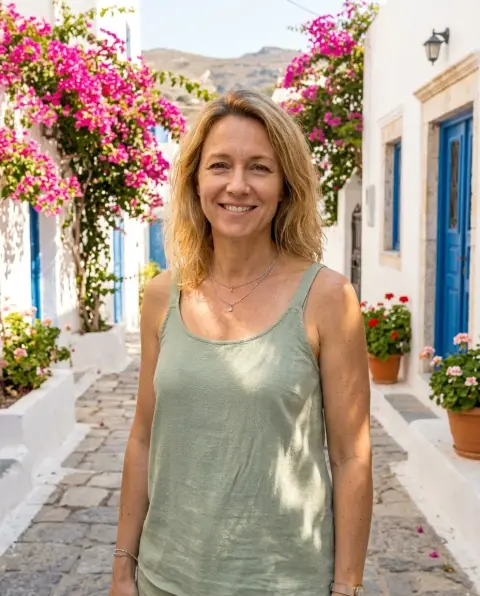
Upload a photo and describe only what should change: "replace the background with a beach", "add a red scarf". Describing the whole photo again can change more than you want. It keeps faces and products close to the original. For product shots or portrait retouches, upload a crisp, well-lit original or prep it first with Background Remover and Unblur Image so edges and fine textures stay razor-sharp.
Consistency across images
For a set of images with the same character or product, upload the same reference each time and reuse the same description. It keeps details consistent across runs better than faster models, which suits campaigns and storyboards.
Photorealism
Describe the camera and lighting for realistic photos: "35mm, soft daylight", "studio softbox from the left". Naming the time of day and materials helps too. Mention what the camera would see imperfectly, such as a little lens flare or soft background blur; perfectly even sharpness is often what makes generated photos look artificial.
Labels, packaging and signs
Pro is the model to use when lettering on a product or a sign has to be right: coffee bags, bottle labels, shop signs, menus. Write the exact words in quotes, say which surface they go on and how large, and keep each line short. Check every word and number at full size before you print or publish.
Nano Banana Pro FAQ.
What is Nano Banana Pro?
Nano Banana Pro is the community name for Google's Gemini 3 Pro Image model, the successor to Nano Banana (Gemini 2.5 Flash Image). It adds higher resolution, better text rendering and stronger reasoning about the prompt.
Do I need an account?
Yes. Sign in with your email: new accounts get 25 free credits to use on any tool. One generation here uses 25 credits with the default model. Credit packs never expire, and your first one is half price.
What is the difference between Nano Banana and Nano Banana Pro?
Nano Banana is faster and cheaper, best for quick edits. Pro produces higher resolution, more accurate text and handles complex multi-step instructions better.
Can it edit my existing photos?
Yes. Upload a photo and describe the change in plain language.
Try these prompts
Guides on the blog.
 Midjourney alternatives: Nano Banana, GPT Image and SeedreamMidjourney is loved for its look. Other image models are better at text, editing your own photos or photoreal product shots. How they compare, and when to use each.
 Nano Banana prompts for photo editing: 40 examplesThe prompt pattern that gets clean edits from Nano Banana, and 40 copy-ready examples for backgrounds, light, clothes, objects, style and restoration.
 GPT Image 2 vs Nano Banana Pro: which model wins?Two of the strongest image models, both good at text. How OpenAI's GPT Image 2 and Google's Nano Banana Pro compare on layouts, edits, realism and cost.