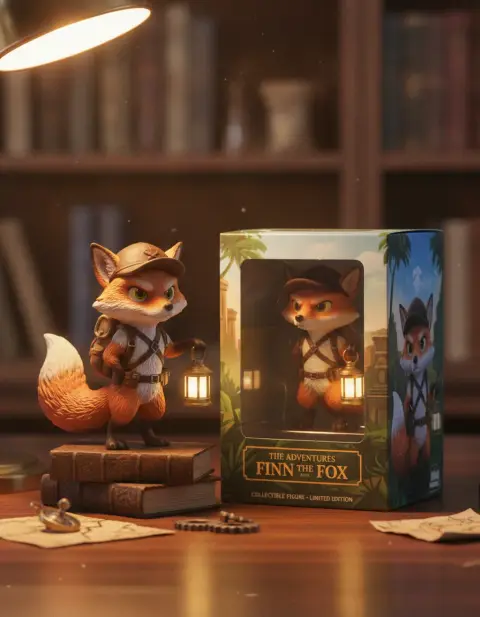
OpenAI's GPT Image 2 and Google's Nano Banana Pro are two well-known image models. (OpenAI has since deprecated GPT Image 2 in its API in favor of GPT Image 2.5 and 2.6, with shutdown planned for February 10, 2027.) Both create images from text, both edit photos from instructions, and both are known for something earlier models struggled with: readable text inside images. So which one should you use?
The honest answer is "it depends on the job". Here's how they compare, task by task.
The short version
- GPT Image 2 is the stronger choice for structured, text-heavy designs: menus, recipe cards, infographics, step-by-step diagrams, layouts with many elements in specific places.
- Nano Banana Pro is the stronger choice for editing real photos while keeping people and products recognizable, combining several reference images, and multi-step edits. Its text is also excellent.
Both output up to 4K on our site.
Text and typography
Both models render text far better than older image models. In practice:
- GPT Image 2 handles dense layouts well: a menu with ten items and prices, a recipe card with an ingredient list, an infographic with four labeled steps. It keeps text aligned and structured.
- Nano Banana Pro excels at headlines, posters, labels and packaging, with correctly spelled text that sits naturally in the scene.
With both, short text is usually right on the first try. Long paragraphs can still contain mistakes, so check every word before you print.


Following complex prompts
GPT Image 2 follows long, detailed prompts with many elements, positions and colors closely. If your prompt reads like a design brief ("title at the top in bold serif, three columns below, a coffee illustration bottom right, cream background"), it tends to respect the structure.
Nano Banana Pro reasons well about what the prompt means and handles multi-step instructions in one go, especially for edits.
Editing your own photos
This is where Nano Banana Pro usually leads. Upload a photo and say "make it night", "add a red scarf" or "remove the car", and it changes just that while keeping faces, products and the rest of the scene intact. It also accepts several reference images, for example a person, a product and a place, and combines them consistently.
GPT Image 2 also edits uploaded photos and sketches, and does well when you want to make something new from a reference: a poster from a product photo, a cleaner diagram from a sketch.
Realism
Both produce realistic photos. Nano Banana Pro is particularly good at product and lifestyle shots with believable materials and light. GPT Image 2 is good at clean, well-lit commercial images and illustrations. For pure photorealism in product scenes, it's also worth trying Seedream 4.5.
Transparency
Neither GPT Image 2 nor Nano Banana Pro outputs transparent backgrounds on our site. If you need a transparent PNG for a logo, sticker or cutout, use GPT Image 2.5, which has a real transparent background option.
Speed and cost
On our site, GPT Image 2 generally costs fewer credits than Nano Banana Pro for the same resolution, and both cost more at higher resolutions. Nano Banana Pro takes a little longer, because it reasons more about the prompt. The exact credit cost is always shown on the generate button before you run it.
Picks by task
- Restaurant menu or price list: GPT Image 2.
- Recipe card or how-to infographic: GPT Image 2.
- Event poster with a big headline: either; Nano Banana Pro for a more artistic look, GPT Image 2 for a tidy layout.
- Product label or packaging concept: Nano Banana Pro.
- Editing a portrait or product photo: Nano Banana Pro.
- Combining a person, product and place: Nano Banana Pro.
- Flyers with lots of details: GPT Image 2, which also powers our flyer generator.
- Logos with transparent background: GPT Image 2.5.
Try both
The best way to decide is to run the same prompt through both models. Write the prompt as clear sentences, put any text in quotes, and compare the results side by side.
 GPT Image 2OpenAI's model for clean text and layoutsTry it with your photo
 Nano Banana ProGoogle's model for precise edits and clean textTry it with your photo
Tips that work for both
- Quote exact text: write the words in quotes and ask for them "spelled exactly".
- Describe layout in plain language: "headline at the top, three items below, small text at the bottom".
- Keep text short: headlines and labels are more reliable than paragraphs.
- For edits, say what stays the same: "keep the person's face, clothes and the background unchanged".
- Check every word before printing or publishing.
Our guide on how to write AI image prompts explains the prompt structure that works across models.
A sample workflow using both
Say you're launching a small coffee brand. You might use Nano Banana Pro to put your real bag of beans on a café table in morning light, keeping the label exactly as printed. Then use GPT Image 2 to make the menu board for your stall, with every drink and price lined up. Finally, use GPT Image 2.5 for the logo sticker with a transparent background. Three models, each doing the job it's best at.
The bottom line
Use GPT Image 2 when the image is a structured design with lots of text. Use Nano Banana Pro when you're editing real photos, combining references, or need a complex change in one step. Many people use both: GPT Image 2 for layouts, Nano Banana Pro for photos.