












Seedream 4.5
ByteDance's image model for photorealistic scenes. Generate from text or blend several reference photos.
Seedream 4.5 examples.

A perfume bottle on wet sand at golden hour

Portrait of an older fisherman in a knitted sweater on a harbor

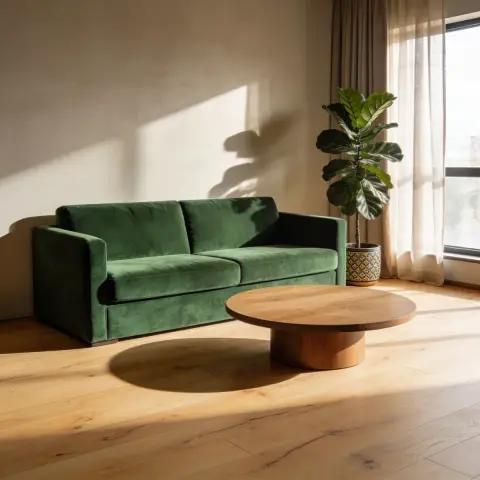
Modern living room with a green velvet sofa and morning light
Seedream 4.5 features.
Photorealism
Natural skin, materials and light that read as real photographs.
Several reference photos
Upload more than one image to place a product or person into a new scene.
Product scenes
Strong at commercial looks: packaging, cosmetics, food and furniture.
Text to image and edits
Start from a prompt, or upload a photo and describe the change.
Seedream 4.5 vs Nano Banana Pro.
| Seedream 4.5 | Nano Banana Pro | |
|---|---|---|
| Best for | Photoreal product and lifestyle scenes | Text in images, complex edits |
| Reference photos | Several | Several |
| Text rendering | Good | Excellent |
Seedream 4.5, step by step.
01
Describe the scene
Subject, setting, light and camera angle.
02
Add reference photos
Optional: upload the product or person to keep.
03
Generate and refine
Tweak the prompt and run it again.
Seedream 4.5 use cases.
- E-commerce photography
- Lifestyle and studio shots for products without a photo shoot.
- Interior and real estate
- Room concepts and staging ideas.
- Editorial portraits
- Magazine-style portraits with natural light.
Seedream 4.5: best photos and fixes.
Describing a scene like a photographer
Seedream responds well to the vocabulary of photography. Name the shot type ("wide establishing shot", "tight product close-up"), the lens feel ("35mm, slight wide angle"), the light ("late afternoon sun through blinds") and the materials in the scene. A prompt written like a photographer's shot list gives a more convincing image than a list of objects.
Keeping a product unchanged
When your product is one of the reference photos, describe it as the main subject and say it must stay exactly as it is: "the bottle from the first photo, label and shape unchanged". Then describe everything else as the scene. Photograph the product straight on with even light, so its label and edges are clear before it is placed into a new setting.
Product photography
Upload your product photo and describe the scene: "on a bathroom shelf with plants, soft morning light". The product is kept close to the original. Check labels and small text, which may change.
Interiors and room restyling
For interiors, describe the style, the materials and the light: "Scandinavian living room, white walls, oak floor, linen sofa, morning daylight". To restyle a real room, upload a photo of it and describe the change. Results are design ideas: furniture sizes and room proportions are the model's estimate, so check measurements before buying anything.
Short text only
Seedream is less dependable with lettering than models built for text. Keep any words in the image to one or two short ones in large letters, and check them before using the result. For posters, packaging copy or anything with several lines of text, generate the scene here without text and add the words in a design app.
Editorial portraits
For a magazine-style portrait, describe the setting, the light and the mood together: "editorial portrait in a sunlit studio, 85mm, soft window light from the left, calm expression". Uploading a photo keeps a real face; without one, you get a new person. Ask for natural skin texture if the first result looks too smooth.
Food and drink photography
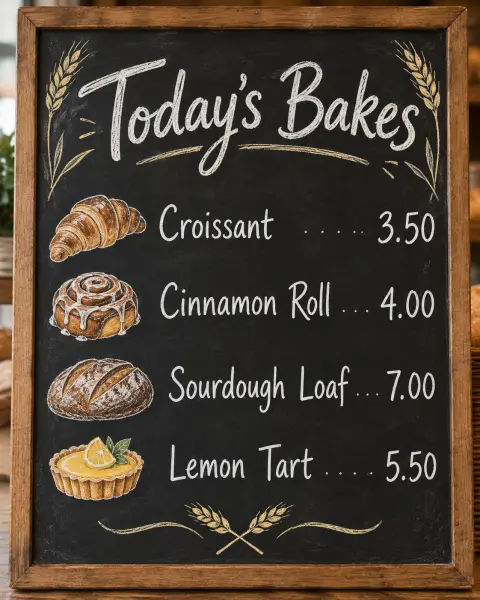
Food scenes benefit from describing textures and light: "steam rising from a bowl of ramen, glossy broth, soft side light from a window". Mention the surface and props, such as a wooden table, linen napkin or ceramic bowl, to make the scene feel real. For menus, generate the dish without text and add names and prices in a design app.
Seedream 4.5 FAQ.
What is Seedream?
Seedream is ByteDance's family of image generation models. Seedream 4 (also written Seedream 4.0) was followed by Seedream 4.5, which this page uses.
Do I need an account?
Yes. Sign in with your email: new accounts get 25 free credits to use on any tool. One generation here uses 30 credits with the default model. Credit packs never expire, and your first one is half price.
Which Seedream version is this?
Seedream 4.5, the version available on this site.
Can I use my own product photo?
Yes. Upload it as a reference and describe the scene you want around it.
Is it good at text?
It handles short headlines. For text-heavy designs, GPT Image 2 or Nano Banana Pro are more reliable.
Guides on the blog.
 How to write AI image prompts that get what you wantMost bad AI images come from vague prompts. A six-part structure for clear prompts, with weak and strong examples, plus tips for text, edits and different models.
 Midjourney alternatives: Nano Banana, GPT Image and SeedreamMidjourney is loved for its look. Other image models are better at text, editing your own photos or photoreal product shots. How they compare, and when to use each.
 GPT Image 2 vs Nano Banana Pro: which model wins?Two of the strongest image models, both good at text. How OpenAI's GPT Image 2 and Google's Nano Banana Pro compare on layouts, edits, realism and cost.


