


Happy Birthday Sister Video
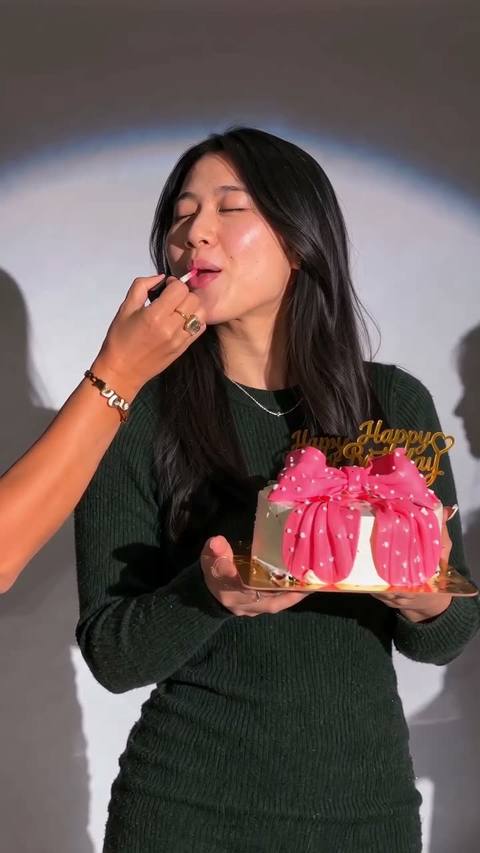
One photo of your sister into the viral spotlight birthday clip: lipstick on, a forkful of cake, sunglasses down, candles lit, with her face and outfit.
Drop a photo
or paste with ⌘V · JPG · PNG · WebP · up to 8 MB
No photo handy? Try one of ours.
10 seconds
Happy Birthday Sister Video examples.

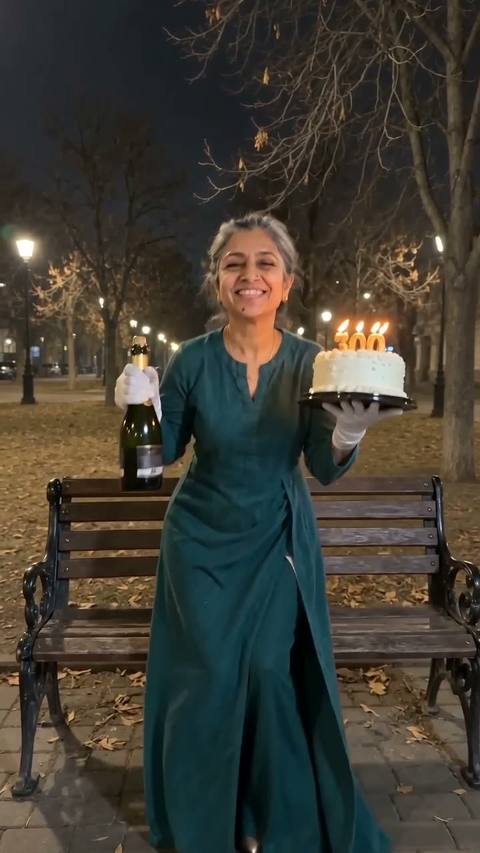
One portrait → her birthday moment
Happy Birthday Sister Video features.
Every beat of the clip
Lipstick from off screen, a forkful of cake, sunglasses going on, the lighter for the candles: all in the original order and timing.
The spotlight set
Grey wall, round spotlight and the white cake with the pink bow and gold Happy Birthday topper stay exactly as in the clip; only the person changes.
She looks like herself
Face, hair and outfit come from her photo and hold through every head turn for the full 10 seconds.
Made for her story
A vertical 10-second clip, the length and shape of a birthday story post.
Happy Birthday Sister Video, step by step.
01
Upload her photo
One person, face clear, ideally showing the shoulders and top.
02
Make the clip
She is placed in the spotlight frame, then the whole clip is rendered around her.
03
Send it on the day
Download the MP4 and post it, or save it for midnight.
Happy Birthday Sister Video use cases.
- Big sister, little sister
- Tag her in a birthday post where she is the main character for once, or for once again.
- The sister in another city
- When you can't be at the party, a clip she stars in says more than a text.
- Mum, best friend, yourself
- The clip works for any birthday star; sister is just the most-sent version.
Happy Birthday Sister Video: best photos and fixes.
A selfie is ideal
The clip is waist-up and close, so a sharp selfie or portrait with her face front-on is exactly what the model needs.
Hair visible
Her hairstyle replaces the original updo for the whole clip. If the hair is cut off at the frame edge in the photo, the model has to guess the rest.
Glasses are fine, sunglasses aren't
The clip puts sunglasses on halfway through. Starting from a photo with sunglasses hides the eyes the model needs for the first half.
Skip heavy filters
Beauty filters and strong colour grading carry into the video, where they look stranger than in a still.
Happy Birthday Sister Video FAQ.
How many credits does a happy birthday sister video use?
One remake uses 440 credits (the 10-second tier; this clip runs 10 seconds). The price is on the button before you start. New accounts get 15 credits to try the image tools; for a remake you need a plan or a credit pack. Credit packs never expire.
How long does it take?
Usually four to six minutes. You can close the page while it runs: the finished MP4 lands in My files, and if you stay, the progress bar shows which step it is on.
What if the result looks wrong?
AI video has some randomness, so two runs of the same photo never match exactly. If a run fails with an error, the credits go straight back to your balance. A finished clip is not refunded, and every new run is charged again, so check the photo tips above before you start.
Do I get the original sound?
Yes. The clip is rendered silent and the trend's original audio is laid back on top, so every beat and word lands where it does in the trend. Download is a 720p MP4, ready to post.
Can I change the text on the cake?
No. The topper reads Happy Birthday as in the original; the set stays as it is so the clip reads as the trend.
Can I add her name?
Not inside the video. Put her name and a message in the post caption or with the text tool of the app you post to.