Trending on TikTok
Pet Taxi AI
Nov 10 · 12s
- 1 · Photo
- 2 · Free preview
- 3 · Your video
Add two photos: people or pets
Person 1
Saved for every trend on this device
Person 2
Only used for this video, not saved
Outfit
Free preview · no sign-up · $6.99 only if you love it
12s · 9:16
By making a preview you agree to our Terms and Privacy Policy, and confirm you're at least 16 (or the age of digital consent where you live) and may use this photo. Terms · Privacy
About the trend · Updated Nov 17, 2026
Pet Taxi AI on TikTok
Clips belong to their creators and link to the original post. Creators can ask us to remove a link.
Pet Taxi AI examples.
Man + dog photo → giant pet taxi ride
Pet Taxi AI features.
Bus-sized pet animation
Your cat or dog trots up the street at giant scale, lies down by the kerb, and runs off carrying the rider.
Rider climbs and poses
The rider waves down the pet, strokes its cheek, climbs onto its back and flashes a peace sign at the camera.
Any pet breed works
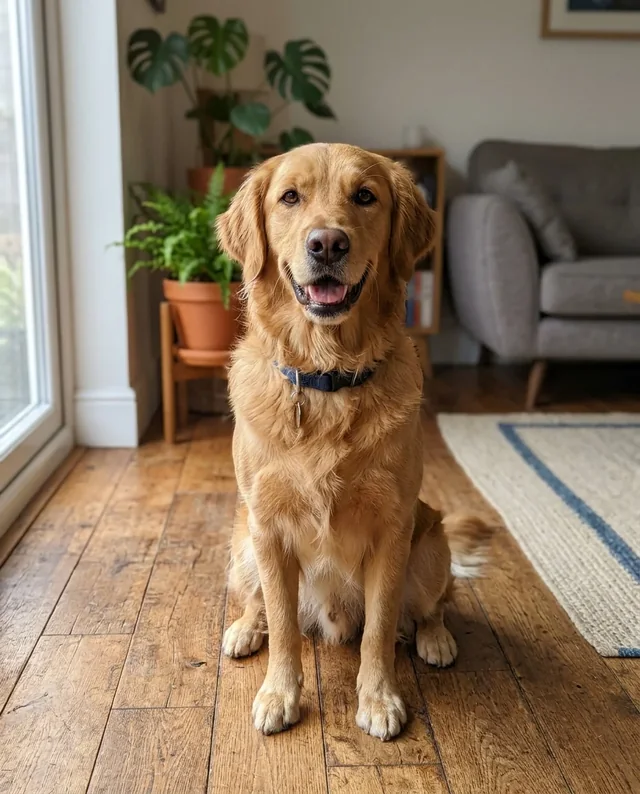
Swap the original calico cat for a golden retriever, tuxedo cat, corgi or pug while keeping their exact coat and ears.
Original street sound
The 12-second video keeps the night street atmosphere and original clip audio synced to every step.
Pet Taxi AI, step by step.
01
Upload rider and pet photos
Add a clear photo of the rider in the first slot and your cat or dog in the second slot.
02
See it free
Check the free preview of the first frame with both of you in place, and fix it if you like. The full clip is $6.99, only if you love it.
03
Make the clip
Your rider and pet are placed into the night street frame, then the full 12 seconds are rendered with the original sound.
Pet Taxi AI use cases.
- Your daily commute upgrade
- Put yourself in the suit and let your own cat or dog be the neighborhood transit.
- Pet owner viral reels
- Giant pet videos perform strongly on TikTok and Reels because the scale gag lands in the first two seconds.
- Friends and partners
- Drop a friend onto their overly pampered house cat or tiny dog for an instant laugh.
Pet Taxi AI: best photos and fixes.
A clear rider portrait
For the rider slot, use a well-lit photo where the person's face, hair and glasses are unobstructed and clearly visible. Even though the rider turns away briefly while hailing the taxi, they face the camera directly when seated on the pet's back, so a sharp front-facing or three-quarter portrait gives the strongest identity match.
Choose the outfit mode
Use The trend's outfit to keep the classic dark commuter suit and tie from the viral clip, or switch to Your outfit if the rider photo shows a full outfit you want to preserve. Casual jackets, hoodies and bright shirts work best in Your outfit mode when the photo shows at least the torso and shoulders.
Full-coat pet photos work best
The giant pet fills most of the frame for all 12 seconds, so pick a sharp photo of your cat or dog that shows its head, ears, snout and main fur markings. Sitting or standing photos in bright indoor or daylight illumination preserve coat patterns, spots and collar details much better than dark blurry snapshots.
Clean up busy backgrounds
Avoid group shots with extra people in the rider photo or multiple animals in the pet photo, as extra subjects can confuse the character swap. If either snapshot is dim or noisy, sharpen it first with Unblur Image or isolate the subject with Background Remover before uploading.
Good contrast against the night street
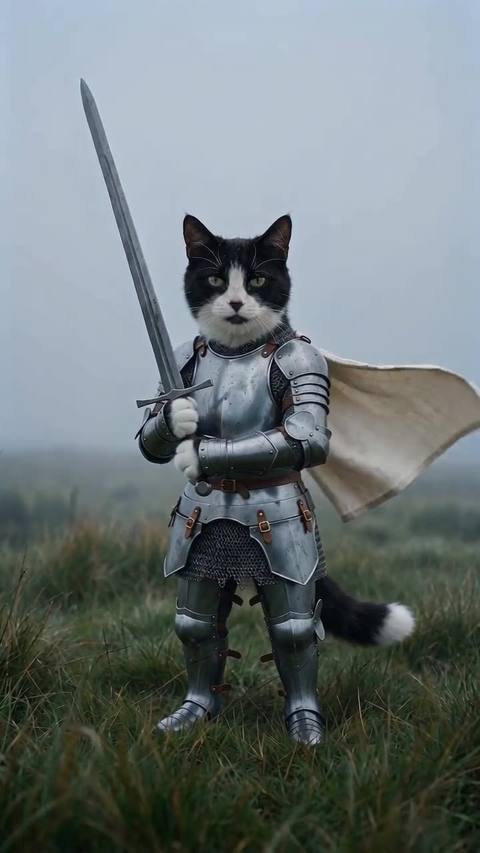
Because the street background is dark asphalt and night office windows, light-colored coats, golden fur, white markings and clear facial highlights stand out vividly in the final clip. Check the free preview frame carefully to confirm both the rider's expression and your pet's proportions look right before rendering the full video, or explore Shaking Head Trend and Knight Cat AI Video for more pet remakes.
Pet Taxi AI: by hand or here
By hand
- Save and trim the clip
- Find a video model that takes a photo
- Check every shot and add the sound back
Here, in one click
- One photo, free preview
- Original sound kept
- $6.99, 1 free redo
- Full refund if it fails
Pet Taxi AI: is it safe to use your photo?
Your photo is only used to make your preview and your video, and we never use it to train AI models. Free previews are deleted after 24 hours. When you buy, the face in your frame is registered with the AI video provider to make the video, and the provider keeps that copy under its own terms; we can't delete it. A video you buy stays in My files for 30 days, and you can delete it sooner.
Pet Taxi AI FAQ.
What is the Pet Taxi AI trend?
Pet Taxi AI is a viral TikTok format where a commuter hails a ride on a night street and a bus-sized cat trots up, lies down at the kerb and carries the rider home. With AI, you can put yourself and your own cat or dog into the clip.
How much does a Pet Taxi AI video cost?
The preview is free and needs no sign-up: put both photos in the frame up to 3 times a day, with 2 free fixes each. The full 12-second video with the original sound is $6.99, paid once at checkout, with one free redo. Your next video within 48 hours, on the same account, costs $4.99, once.
How long does it take?
Usually four to six minutes. You can close the page while it runs: the finished MP4 lands in My files, and if you stay, the progress bar shows which step it is on.
What if the result looks wrong?
Check the free preview first: if the face, suit or pet coat isn't right, use one of the 2 free fixes or try another photo before you pay. After you buy, you get one free redo of the video. If making the video fails on our side, you get a full refund automatically.
Can I use a dog instead of a cat?
Yes. Any cat or dog photo works in the giant pet slot. The model keeps your pet's breed, fur colors and markings while animating the giant taxi run.
Do I get the original sound?
Yes. The clip is rendered silent and the trend's original audio is laid back on top so every step and street sound matches. Download is a clean MP4 ready to post.