An AI image model can only draw what you describe. If you write "a nice living room", it has to guess everything else: the style, the colors, the light, the camera angle, the mood. Sometimes the guess is good. Often it's generic.
Better prompts aren't about magic words. They're about answering the questions the model would otherwise guess. Here's a structure that works with modern models like Nano Banana, GPT Image and Seedream.
The six parts of a strong prompt
1. Subject
What's in the image, as specifically as possible. Not "a dog" but "a fluffy golden retriever puppy". Not "a woman" but "a woman in her sixties with short silver hair and a yellow raincoat".
2. Action or state
What the subject is doing. "Sleeping on a windowsill", "laughing while holding a coffee cup", "running along the shore".
3. Setting
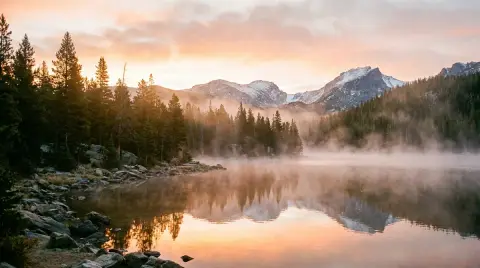
Where it happens. "In a small Parisian café", "on a misty mountain lake at sunrise", "on a white studio background".
4. Style or medium
How it should look. "A realistic photo", "a soft watercolor illustration", "a flat vector icon", "a 1970s film photograph", "a children's book illustration".
5. Light and color
Light changes everything. "Soft morning window light", "golden hour", "neon lights at night", "overcast and moody". Add a color palette if it matters: "muted greens and creams", "bold red and black".
6. Composition
How it's framed. "Close-up portrait", "wide shot", "from above, flat lay", "centered with lots of empty space", "16:9 landscape".
You don't need all six every time, but the more you include, the less the model guesses.
Weak vs strong prompts
Weak: "a living room"
Strong: "A modern living room with a green velvet sofa, a wooden coffee table and a large window, soft morning light, realistic interior photo, wide shot."

Weak: "a product photo of perfume"
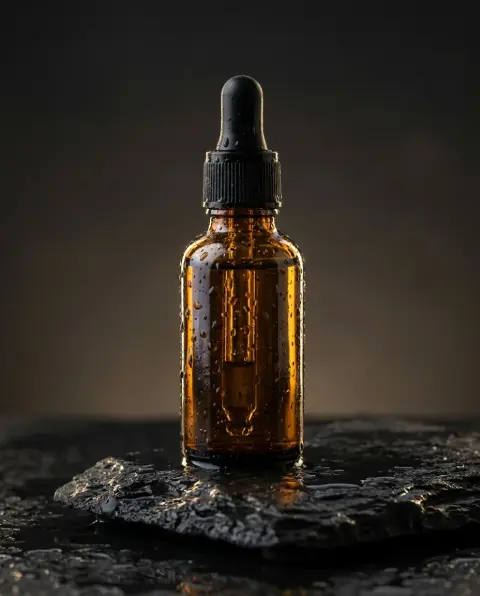
Strong: "A glass perfume bottle standing on wet sand at golden hour, small waves in the background, warm light and soft reflections, photorealistic product photo, close-up."
Weak: "a cute sticker"
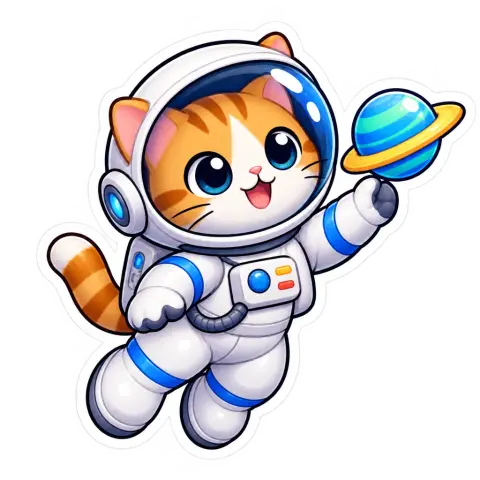
Strong: "A glossy cartoon sticker of a cat astronaut floating with a small planet, thick white outline, bright colors, transparent background."

Writing style: sentences beat keyword lists
Older image tools rewarded long lists of keywords ("4k, ultra detailed, trending, masterpiece"). Modern models understand natural language. Write clear sentences, like you'd brief a photographer or illustrator. Filler words like "masterpiece" or "ultra HD" rarely help.
Text in images
To get readable text:
- Put the exact words in quotes: a sign that says "FRESH BREAD" (OpenAI's prompting guide recommends the same).
- Keep it short: headlines and labels work better than paragraphs.
- Say where it goes: "title at the top", "small text at the bottom".
- Use a model that's good at text: such as Nano Banana Pro or GPT Image 2.5.
- Check every letter before using it.
Prompts for editing photos
When you upload a photo and ask for a change, the structure is different. Describe:
- The change: "Change the background to a beach at sunset."
- The details: "Warm golden light, gentle waves."
- What to keep: "Keep the person's face, clothes and pose exactly the same."
Our post on Nano Banana prompts for photo editing has forty edit prompts you can copy.
Choosing the right model
Different models have different strengths, so the same prompt can give very different results:
- Nano Banana 2: fast and versatile, up to 4K. A good default for most images and photo edits.
- GPT Image 2.5: real transparent backgrounds for stickers, logos and cutouts, plus an HD mode for fine detail.
- Seedream 4.5: photorealistic scenes, especially products, food and interiors.
- Nano Banana Pro: text-heavy designs and complex instructions.
 Nano Banana 2Google's fast model with up to 4K outputTry it with your photo
Iterate, don't start over
Your first result is a draft. Look at what's wrong and change one thing at a time:
- Too generic? Add more specific details about the subject or setting.
- Wrong mood? Change the light and color words.
- Wrong framing? Add composition: close-up, wide shot, from above.
- Too busy? Add "simple background" or "lots of empty space".
- Wrong style? Name the medium more precisely: "loose watercolor with visible brushstrokes" instead of "painting".
Changing one thing at a time teaches you what each part of the prompt does.
Things to avoid
- Contradictions: "a minimal, highly detailed scene".
- Too many subjects: five characters, three animals and a city. Start simpler.
- Negative lists: "no people, no cars, no text" can sometimes add what you mention. Describe what you want instead: "an empty street".
- Real people and trademarks: use original characters and designs.
- Living artists' names as style shortcuts. Describe the style instead.
A prompt template to copy
"[Subject] [doing something] in [setting]. [Style or medium]. [Light and colors]. [Composition]."
Example: "An elderly fisherman in a knitted sweater mending a net on a wooden harbor. Realistic portrait photo. Overcast light, muted blues and greys. Close-up, eye level."

Fill in the blanks, generate, change one thing, generate again. Most great AI images come from the third or fourth attempt, not the first.
To see these rules at work, browse our library of tested AI photo prompts, where every prompt is shown with the image it made.