Signature Generator
Type your name. Get a signature with a clear background.
Type your name to see it signed.
 Logo generator →
Signature Generator examples.
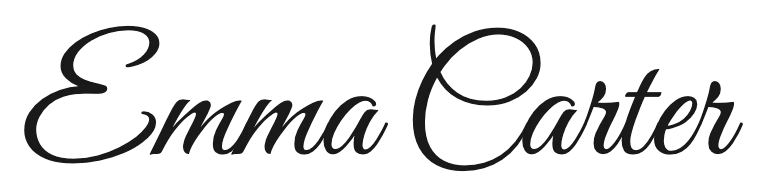
Great Vibes

Dancing Script, blue ink
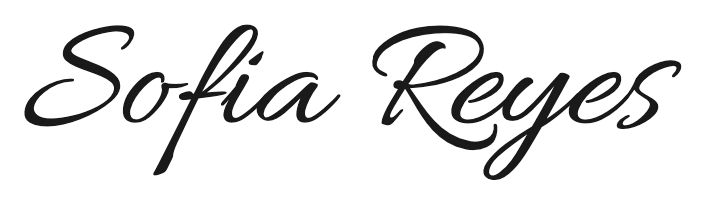
Allura
Signature Generator features.
Six script styles
Elegant to relaxed handwriting.
Ink, weight and slant
Black, blue, white or any color.
Clear background
PNG ready for documents and email.
Signature Generator, step by step.
01
Type your name
Full name or initials.
02
Pick a style
Adjust ink, thickness and slant.
03
Download the PNG
Place it in a document or email.
Signature Generator use cases.
- Email signatures
- A signature image under your name.
- Documents and PDFs
- Sign letters and forms you're allowed to sign electronically.
- Logos and branding
- A handwritten-style wordmark.
Signature Generator: best photos and fixes.
Choosing a style
Great Vibes and Allura are elegant and formal; Dancing Script is relaxed and readable; Sacramento is light and thin; Alex Brush has a brush-pen feel; Mrs Saint Delafield is the most like a quick real signature. Each style button shows your name, so you can compare at a glance.
Readable or stylish
For documents, a readable style such as Dancing Script works best. For a logo or a personal brand, a flowing style like Great Vibes makes more of an impression. Initials work too, and short names fit more styles.
Ink, thickness and slant
Black and dark blue look like real pen ink. White is for dark backgrounds, such as slides. Thickness makes thin scripts bolder; slant tilts the letters forward or back for a more natural, hand-drawn feel.
Using the PNG
The PNG has a clear background, so it sits on any document or email without a white box. In most editors, insert it as an image and resize it to about the height of two lines of text.
Is it a legal signature?
This makes an image of your name in a handwriting style. Whether a typed or image signature is accepted depends on the document and where you are; for contracts, use the e-signature service the other party requests.
Your real signature
To use your own handwritten signature instead, sign on white paper, take a photo, and run it through the background remover to get a clean, clear PNG.
Signature Generator FAQ.
Is this a legally binding signature?
It is an image of your name. Whether it's accepted depends on the document; for contracts use the e-signature service you are asked to use.
Can I use it in Gmail or Outlook?
Yes. Insert the PNG as an image in your email signature settings.
Can I make a signature from my handwriting?
Photograph your signature on white paper and use the background remover to cut it out.
Is my name sent anywhere?
No. The signature is drawn in your browser; nothing you type leaves your device.
Is it free?
Yes. Quick tools are free, need no sign-in and use no credits; your images stay in your browser. The AI tools linked below need an account.