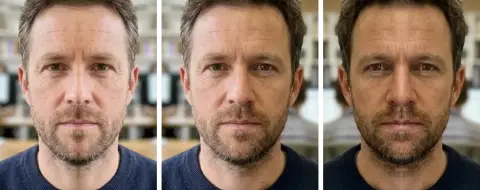
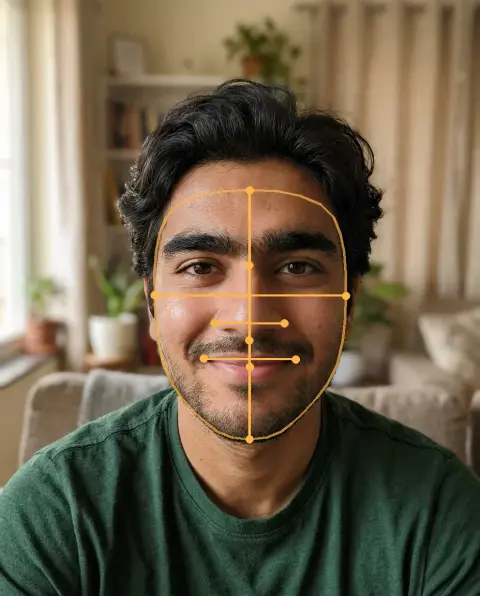
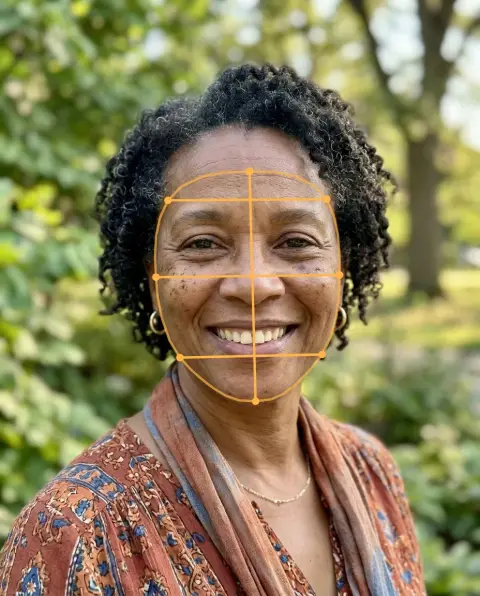
Inverted Filter examples.


Horizontal flip


Horizontal flip
Inverted Filter features.
The view others see
A horizontal flip undoes the mirror view of your selfie camera.
Works on any selfie
Use a photo from your camera roll or one you take now.
Other flips included
Vertical, mirror left half and mirror right half are in the same tool.
Private and instant
It runs in your browser, so your photo is never uploaded.
Inverted Filter, step by step.
01
Add your selfie
Drop a photo, or scan the QR code to send one from your phone.
02
Choose Horizontal
That shows the face as other people see it. Tap Mirror left half or Mirror right half to compare the two sides.
03
Compare and download
Look at both versions side by side, then save the flipped photo as JPG or PNG.
Inverted Filter use cases.
- The TikTok trend
- Post the original next to the flipped version for the how-others-see-me reaction.
- Friends and couples
- Flip each other's selfies and guess whose face looks most different.
- Checking a profile photo
- See which side of your face you prefer before you pick a picture to post.
- Curious about asymmetry
- Everyone has a slightly different left and right side; flipping makes it easy to see.
Inverted Filter: best photos and fixes.
Why the flipped view looks strange
In a mirror, and in the live preview of a front camera, you see yourself reversed. Everyone else, and every rear camera, sees you the other way round. Your brain is used to the reversed version, so the unflipped one can feel slightly off even though it is how you look to other people.
What the trend does
The TikTok inverted filter turns your camera view into the non-mirrored version, and people react to the first look. This is a web version of the same look that works on any photo you already have, not only live video.
Pick the right option
Horizontal is the one for this trend. Vertical turns the photo upside down. Mirror left half and Mirror right half copy one side of your face onto the other, which shows what a perfectly symmetric version of you could look like.
Which photos work best
Straight-on selfies in even light give the clearest comparison. Side light, a head turn or a big laugh can make the flip look more different than your face really is.
Want just a flip?
For design layouts, reflections or other uses, the general flip image tool does the same job. To measure your sides rather than only look at them, try the face symmetry test.
Sharing the result
Download the flipped photo and put it next to the original in a collage or video. Keep the original too, so people can see which is which.
Inverted Filter FAQ.
What is the inverted filter?
It is a TikTok trend where your selfie is shown the way other people see you rather than as a mirror image. This page gives you the same look in a browser on any photo.
Which option shows how others see me?
Horizontal. A front camera shows you mirrored, so flipping the photo horizontally gives back the non-mirrored view.
Why do I look different when flipped?
Faces are never perfectly even. Your brain knows the mirrored version best, so small differences in brows, smile and hair parting stand out in the flipped one.
Does it work on photos from my camera roll?
Yes. Any JPG, PNG or WebP up to 8 MB works, or send one from your phone by scanning the QR code (the link is valid for 10 minutes).
Is my photo uploaded?
No. The tool runs in your browser and the photo never leaves your device. Close the tab and it is gone.
Is it free?
Yes. Quick tools are free, need no sign-in and use no credits; your images stay in your browser. The AI tools linked below need an account.
Can I flip a photo for other reasons?
Yes, the same options work for any picture. The [flip image](/tools/flip-image) page is written for design and general use.