Eye Color Changer
Natural blue, green, hazel, grey or amber eyes.
Drop a photo
or paste with ⌘V · JPG · PNG · WebP · up to 8 MB
No photo handy? Try one of ours.
More like this.

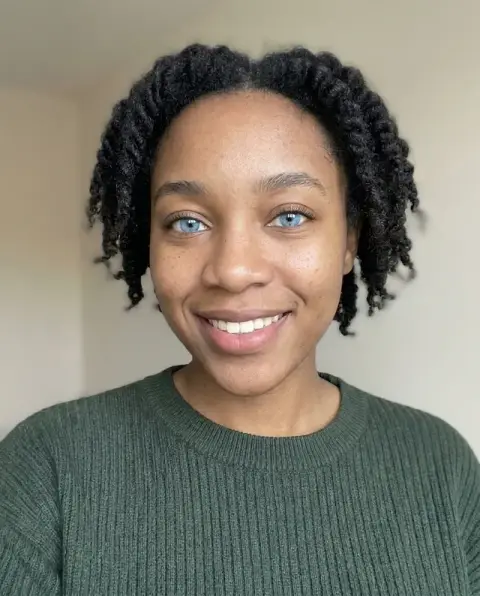










Eye Color Changer examples.
Real results from this page's default settings in one click, not retouched.How examples are made


Green


Amber


Grey
Eye Color Changer features.
Only the iris changes
Pupils, reflections and lashes stay.
Five natural colors
Or describe any color you want.
Real iris texture
The patterns of your own eyes are kept.
Eye Color Changer, step by step.
01
Upload a photo
Eyes open and in focus.
02
Pick a color
Or write one in the instructions.
03
Download
Compare colors before buying contacts.
Eye Color Changer use cases.
- Before colored contacts
- See which lens color suits you.
- Characters and cosplay
- Match a character's eye color.
Eye Color Changer: best photos and fixes.
Photos for a natural eye color
Close-up portraits with the eyes open, in sharp focus and looking roughly at the camera give the most natural iris detail. Daylight shows the true color best. Squinting, sunglasses, heavy shadows from a cap and strong red-eye from flash all reduce the visible iris, so the new color has less room and may look flat.
Choosing a natural color
Blue, green, hazel, grey and amber are all shown with the fine radial texture of a real iris. Light colors look most dramatic on dark eyes; hazel and amber are subtler changes. For something specific, choose Custom and write it: "icy blue with a dark ring", "emerald green" or "light brown with gold flecks". Violet, red and white work for cosplay and characters.
Group photos and small faces
Eyes that are only a few pixels wide in a group photo cannot hold much texture, so the change may look like a tint. Crop to the person first if you can. If only one person should change, say it: "change the eye color of the woman on the left only". Otherwise every visible pair of eyes may be changed.
If the color looks painted on
A flat or glowing iris usually comes from a low-resolution or heavily filtered selfie. Use the original camera photo, and regenerate once if the first result is too bright. Writing "subtle, realistic" in the instructions keeps the color closer to what tinted contact lenses would look like. Makeup, lashes and skin are left as they are.
Trying contacts before buying
Tinted contact lenses cover the iris but not the dark ring around it, and they look different on dark and light eyes. To preview a lens, describe it closely in Custom, such as "grey contact lens over dark brown eyes, natural ring kept". Compare two or three shades in the same photo and lighting before choosing which lenses to order.
Matching color to skin and hair
Eye colors read differently against different skin tones and hair colors. Very light blue or grey can look striking on dark hair and pale skin, but harsh on warm, tanned skin. Hazel and amber suit warm complexions. Run two or three colors on the same photo and look at them small, at the size of a profile picture, where the overall impression matters more than iris detail.
Characters, cosplay and art
For a character or cosplay, matching the eye color to the character makes the photo. Use Custom and describe it precisely: "bright violet with a darker ring", "golden cat-like eyes", "one blue eye and one green eye". Unusual colors are drawn with the same iris texture as natural ones, so they still look like eyes rather than flat paint.
Eye Color Changer FAQ.
Can I get unusual colors like violet or red?
Yes. Write the color in the instructions box, for example "violet" or "two different colors".
Will it change my makeup or skin?
No. Only the iris color changes.
Does it work on group photos?
It works best on a close-up of one person. In a group photo, say whose eyes to change in the instructions.
Is the Eye color changer free?
Yes, you can try it free. New accounts get 25 free credits, and one generation here uses 9 credits. You sign in with your email; no card needed. Results have no watermark. After that, credit packs never expire, and your first one is half price.