Buzz Cut Filter
See the buzz cut before you pick up the clippers.
Drop a photo
or paste with ⌘V · JPG · PNG · WebP · up to 8 MB
No photo handy? Try one of ours.
More like this.
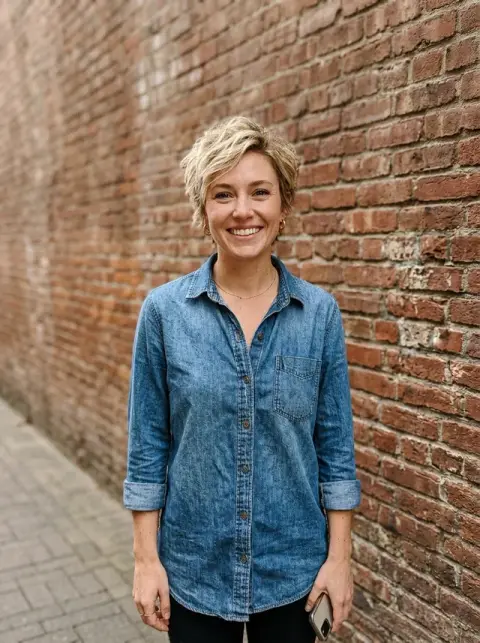
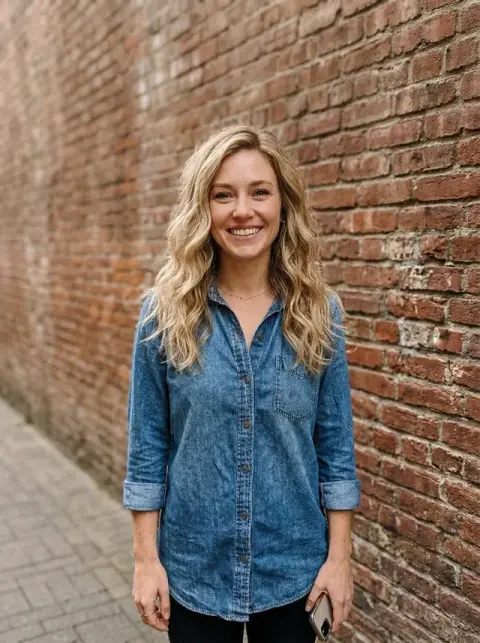










Long hair, twists and a fade under the buzz cut filter.
Real results from this page's default settings in one click, not retouched.How examples are made
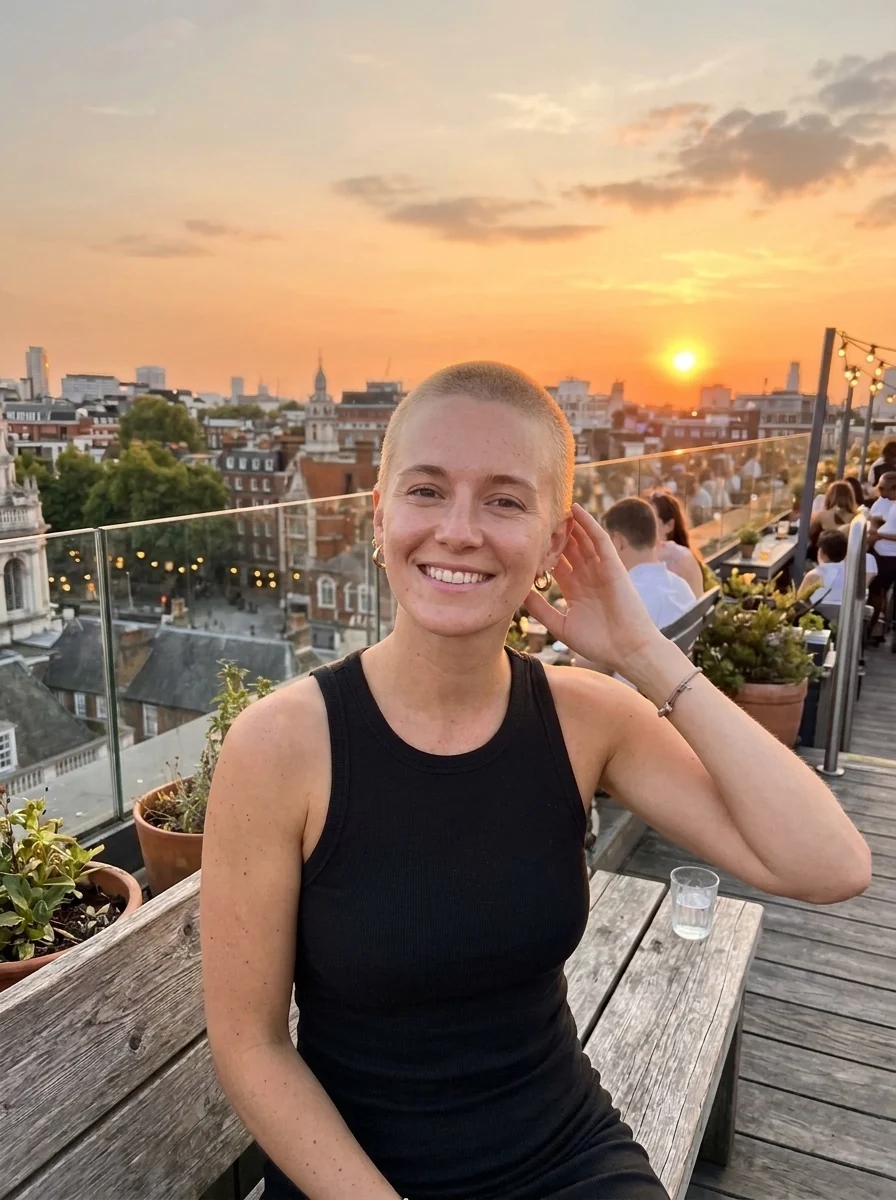
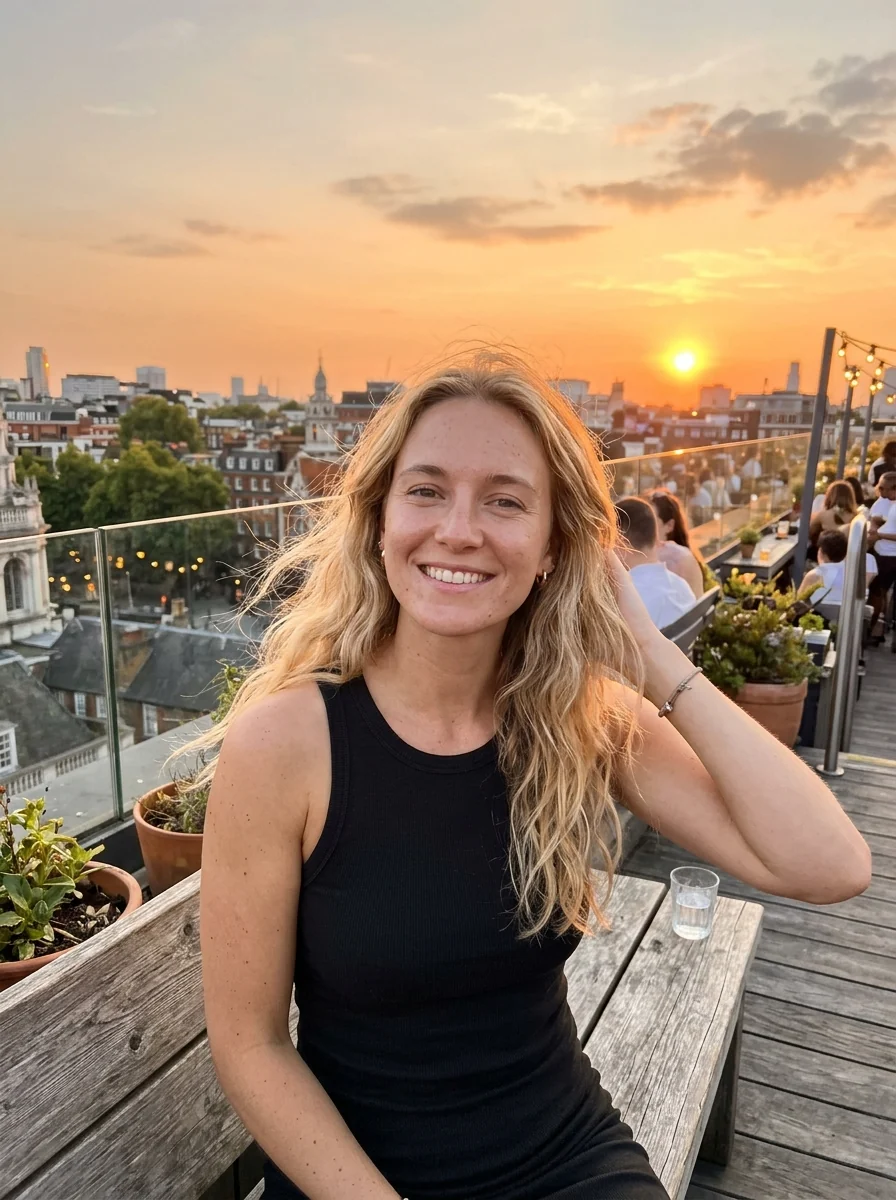
The same woman with a short blonde buzz cut


The same man with an even, short buzz cut


“skin fade on the sides”
What the buzz cut filter changes on your head, and nothing else.
Your natural color
The cut keeps your hair color, or try bleached.
Real scalp shading
Short hair looks clipped, not painted on.
Fades too
Ask for a skin or low fade.
Buzz Cut Filter, step by step.
01
Upload a photo
One where your head and hairline are visible.
02
Generate
Add a clipper length or a fade if you like.
03
Decide
Compare it with your current hair.
Before the clippers: when people try a buzz cut filter.
- Months of thinking about it
- You have wanted to shave it down for a while but cannot picture it. Upload a recent front-facing photo, generate the cut, and show the result to someone whose opinion you trust before booking the barber.
- A head-shave fundraiser
- Signing up to shave your head for charity is easier once you have seen the result. Make a buzz cut version of your photo and use it in the fundraising post as the look to come.
- Starting over after damaged hair
- After bleach damage or a cut that went wrong, some people reset with a buzz. See it in your natural color first, or add "bleached blonde" to try that look at the same time.
- Less hair for summer or the gym
- Hot weather and early training sessions make a buzz cut practical. Try it with "skin fade on the sides" to see a sharper version before your next appointment.
Buzz Cut Filter: best photos and fixes.
Photos for a buzz cut preview
A front-facing photo with the top and sides of your head in frame shows the shape the clippers would reveal. Good, soft light helps the model draw scalp shading where hair is very short. Hats and hoods hide the head shape. Long hair is fine, but the more of your ears and neck it covers, the more the model has to draw from scratch.
Setting the length
Clipper guard numbers are the quickest way to describe a length: "number 1" is close to the scalp, "number 3" leaves visible hair, and "number 4" is a soft, short crop. Write it in the instructions. For a fade, write "skin fade on the sides, number 2 on top" or "low taper fade". Show the result to your barber with the guard number you used.
Hairlines and thinning hair
A buzz cut shows the hairline clearly, so the model keeps yours where it is, including a receding or uneven hairline. That is the point of trying it first. If the hairline comes back moved or straighter than yours, regenerate once. With very light or grey hair, the buzz can look almost bald in bright light; try a photo with softer light.
If the head shape looks off
Thick, voluminous hair hides the real shape of the head, and the model has to estimate it. If the result looks too narrow or too bumpy, try a photo where your hair is wet or slicked back, which shows the shape better. Beards and eyebrows are kept; if you also want the beard trimmed, say "short stubble beard" in the instructions.
Comparing lengths before the cut
Run the same photo two or three times with different guard numbers and compare them side by side; a number 1 and a number 4 change the look of the face more than most people expect. Keep the one you like and show it to the barber. Ears and the back of the neck are drawn too, so the result also hints at how much those will show.
Beard and buzz together
Your beard stays exactly as it is, so the result shows how a buzz cut looks with the beard you have now. With very short hair, a full beard becomes the main feature, while light stubble keeps the look balanced. If the balance feels off, compare it with a slightly longer guard on top before deciding whether to trim the beard too.
Buzz cut filter questions before you commit.
Can I choose the length?
Yes. Write a clipper number or length in the instructions, such as "number 1" or "half an inch".
Can I add a fade?
Yes. Write "skin fade" or "low fade on the sides".
Will my face change?
No. Only the hair is cut; your face, eyebrows and beard stay the same.
Is the Buzz cut filter free?
Yes, you can try it free. New accounts get 25 free credits, and one generation here uses 9 credits. You sign in with your email; no card needed. Results have no watermark. After that, credit packs never expire, and your first one is half price.
Does it work on long or curly hair?
Yes. Long, wavy and curly hair and twists are all clipped down to an even buzz in your natural color.
Can women try a buzz cut with it?
Yes. It works on anyone, and the cut follows your own hairline.
How is it different from the bald filter?
The [bald filter](/tools/bald-filter) removes the hair completely. The buzz cut filter keeps a short, even layer of about 3 to 6 mm and can add a fade.
What if I'm not sure about going that short?
Try a longer cut first with the [short hair filter](/tools/short-hair-filter), or browse other styles in the [hairstyle changer](/tools/hairstyle-changer).
What files can I upload?
JPG, PNG or WebP, up to 8 MB. On a computer you can also scan a QR code to send a photo from your phone; the link works for 10 minutes.
Are my photos kept or used to train AI?
Photos and results are not used to train AI models. Results stay in My files for 48 hours, or 30 days once you've bought a credit pack, and you can delete them sooner.