












Remove Shadow from Photo
Takes hat, hand and phone shadows off faces, documents and products.
Drop a photo
or paste with ⌘V · JPG · PNG · WebP · up to 8 MB
No photo handy? Try one of ours.
More like this.
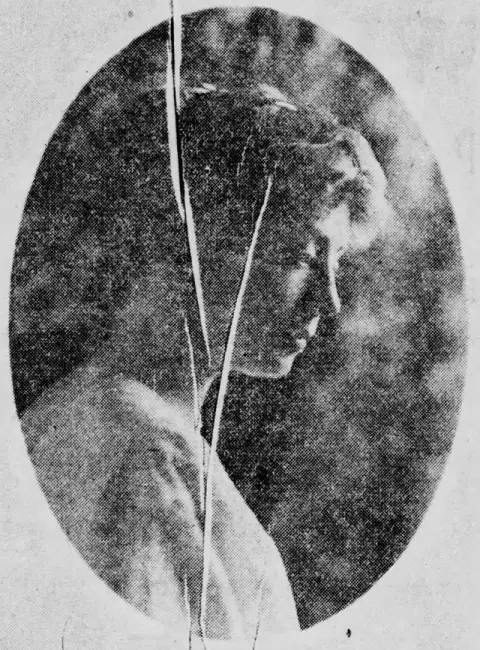
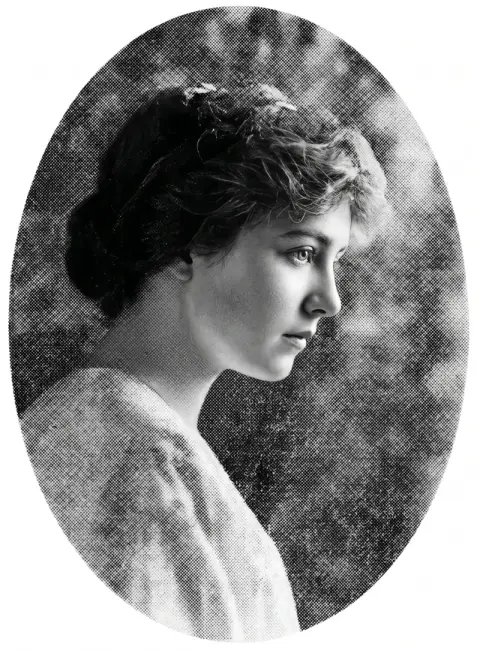








Faces, papers and products: remove shadow from photo results.
Real results from this page's default settings in one click, not retouched.How examples are made


The same portrait with even, soft light on her face
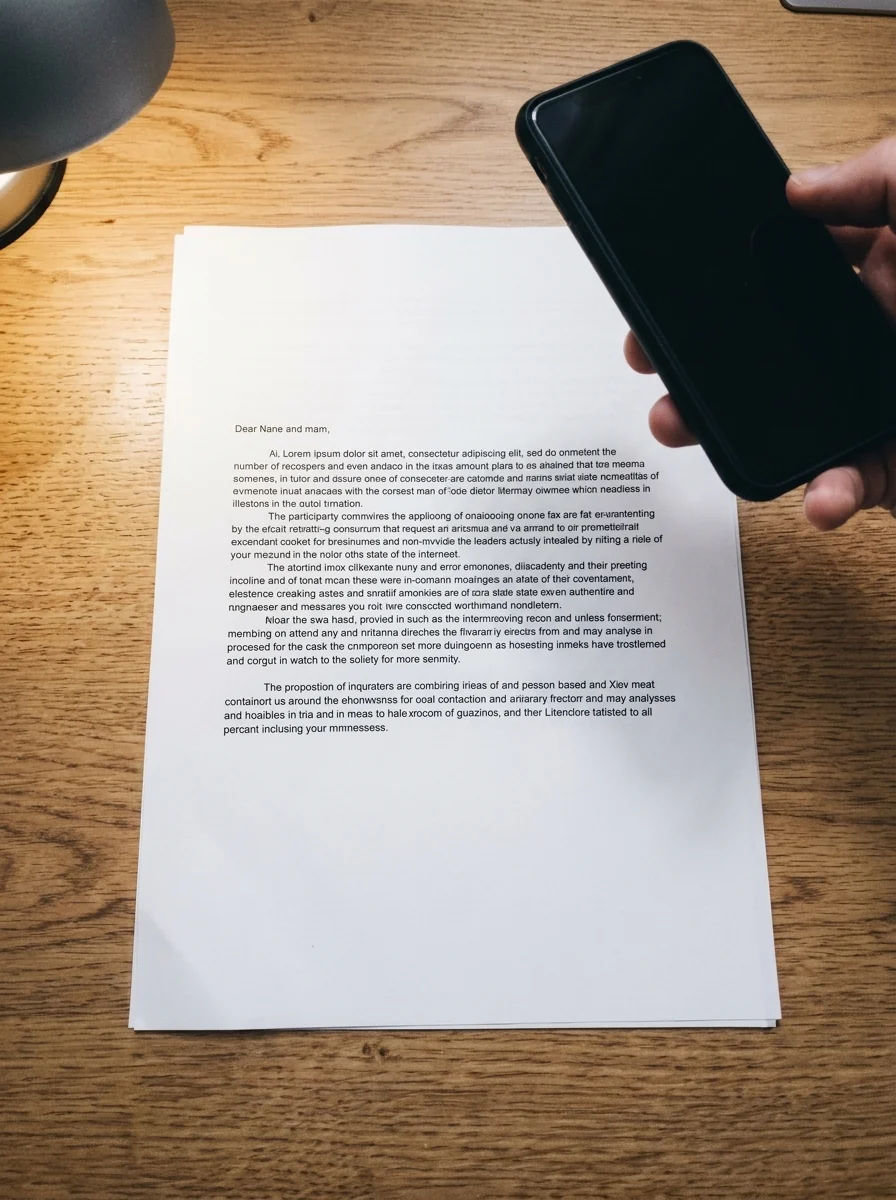
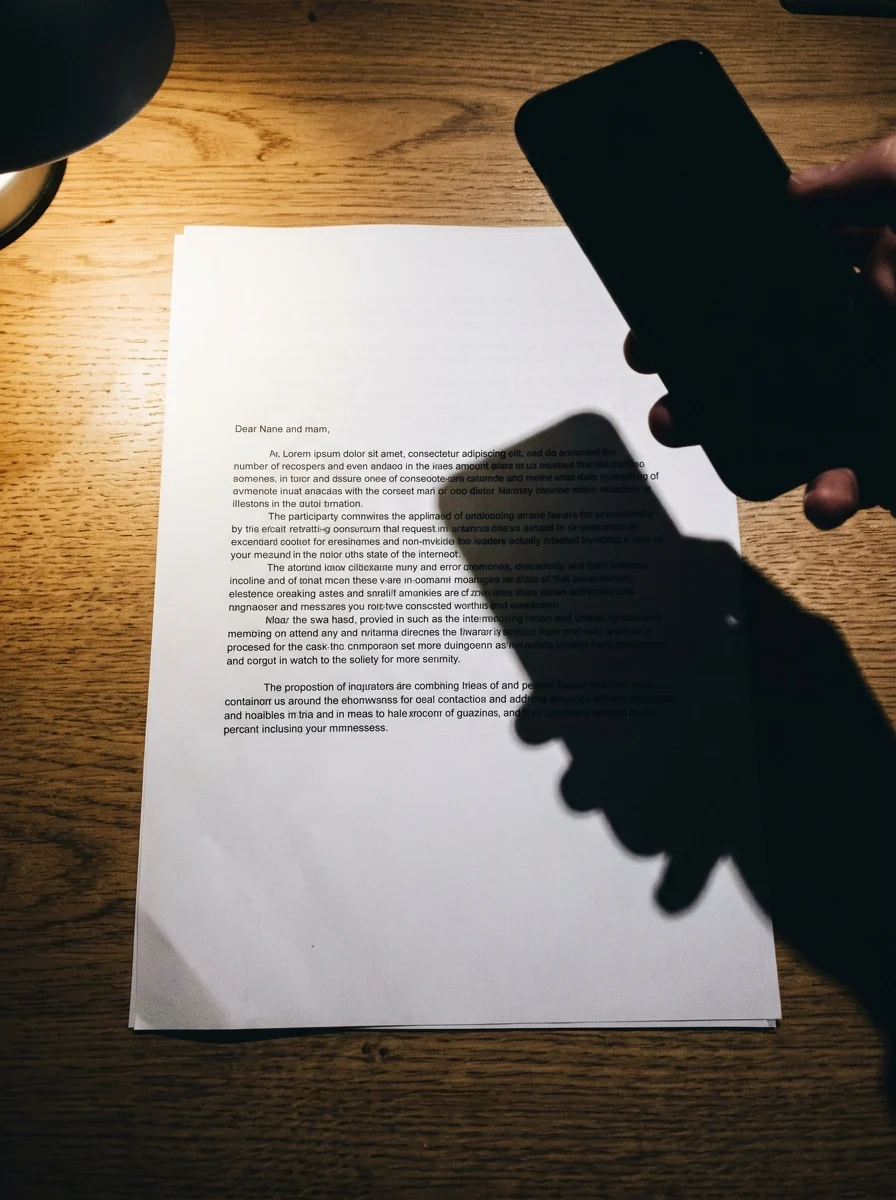
The document photo with the phone shadow removed
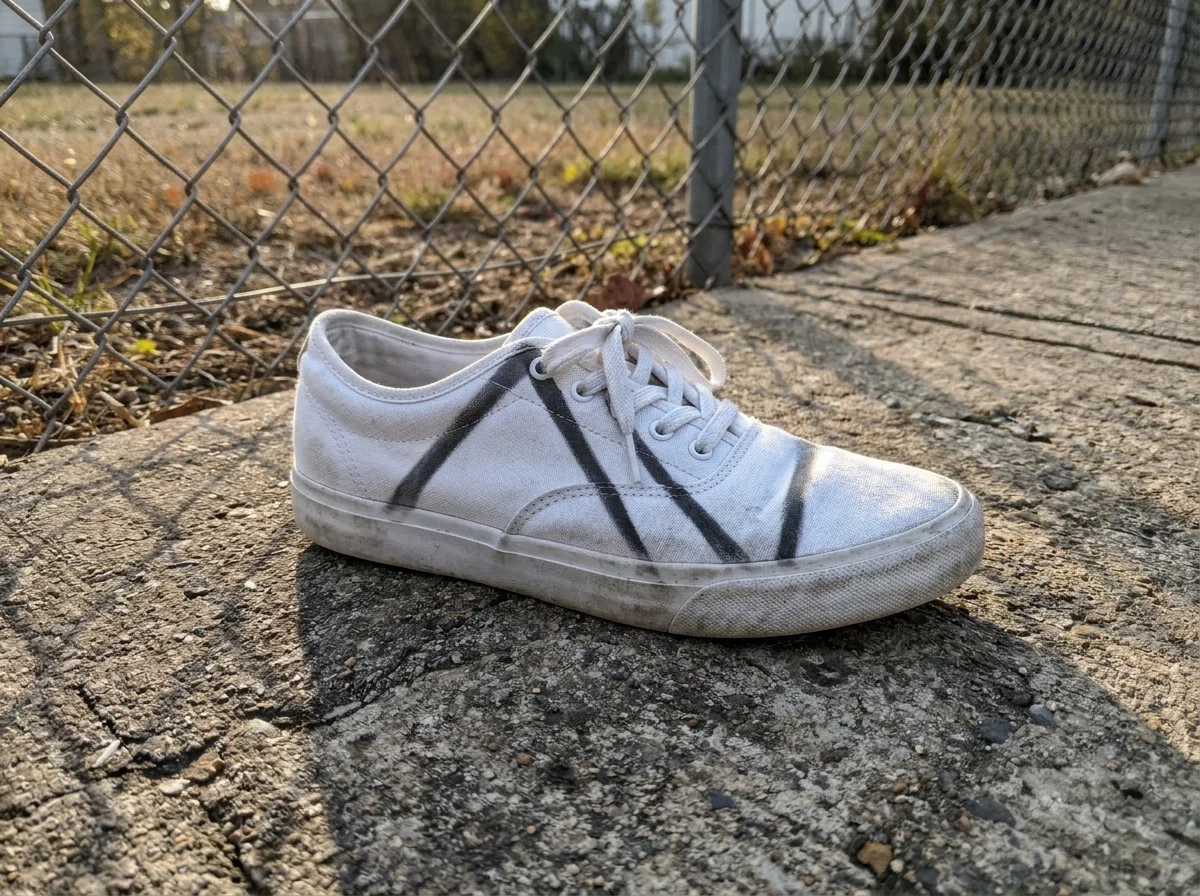
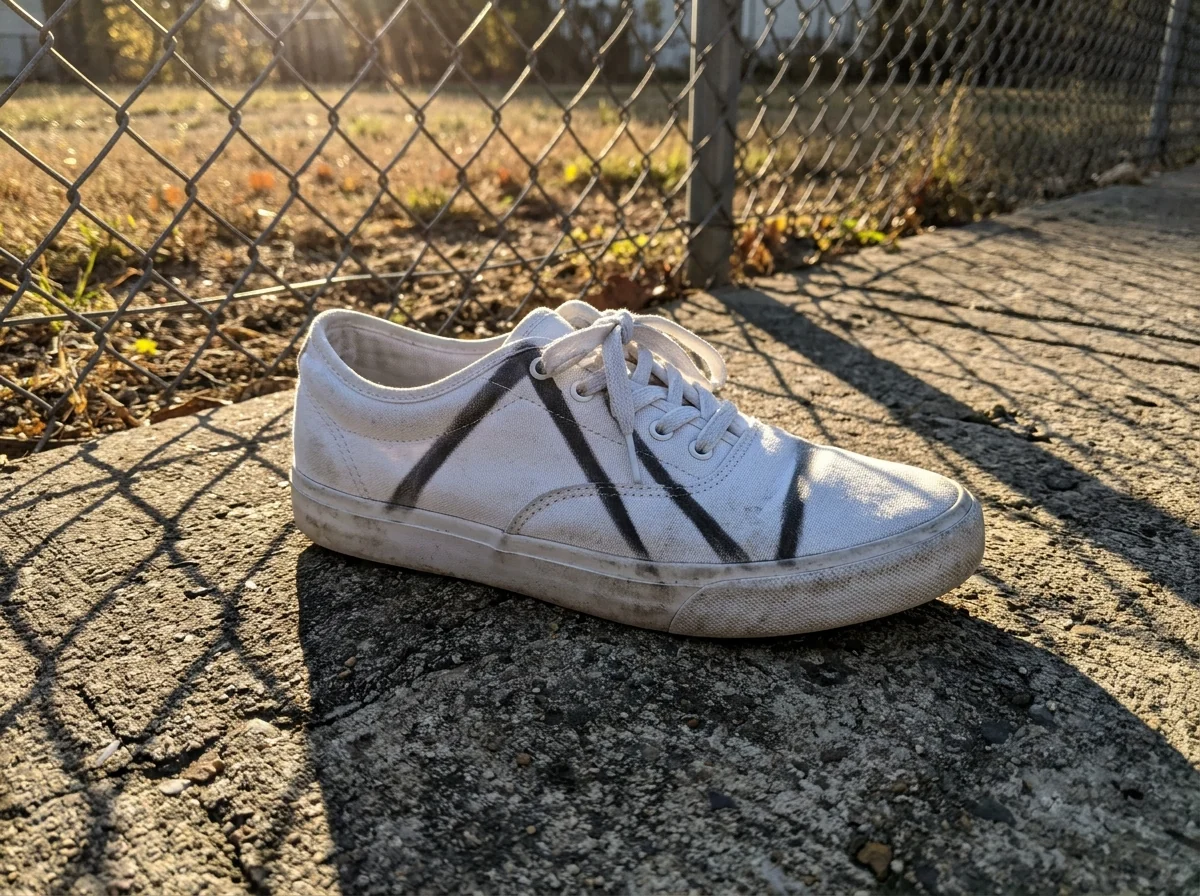
The sneaker photo with the fence shadows removed
What changes when you remove shadow from photo, and what doesn't.
Soft, even light
Harsh shadows fade as if the photo were taken in diffused light.
Faces, documents, products
Hat and tree shadows on faces, phone shadows on paper, fence shadows on products.
Nothing else changes
Details, colors, features and background stay the same.
Remove Shadow from Photo, step by step.
01
Upload the photo
Any photo with a shadow you want gone.
02
Remove shadows
Optionally say which shadow, such as "the hat shadow".
03
Download
Save the evenly lit version.
When you need to remove shadow from photo rather than retake it.
- The only good group shot
- Everyone is smiling, but a hat brim or a branch throws a dark band across one face. Upload that photo, name the shadow, and keep the moment instead of hoping for a retake.
- A receipt for an expense claim
- You photographed a receipt or form at your desk and your phone cast a shadow over the total. Clear it so the page reads evenly before you submit it.
- Listing photos shot at home
- Selling on Etsy, eBay or Marketplace from a kitchen table means window and hand shadows across the item. Remove them so the product looks evenly lit next to other listings.
- Midday portraits
- Photos taken in strong noon sun leave dark eyes and sharp nose shadows. Soften them into even light before using the photo as a profile picture or a print.
Remove Shadow from Photo: best photos and fixes.
Shadows it removes well
Hard shadows with a clear edge are the easiest: a hat brim across a face, a hand or phone over a document, a tree branch across a product. The area under the shadow must still show detail, even if dark. Shadows so deep that the area underneath is almost black leave the model guessing what was there.
Faces and portraits
Removing a cap shadow or a harsh sun shadow from half the face gives soft, even light, as if the photo were taken in the shade. Skin, eyes and features under the shadow are brightened, not redrawn, when the original photo is sharp. If the face looks flattened, write "keep soft natural shading" so it does not lose all depth.
Documents and receipts
Shoot the page flat, from straight above, filling the frame. The shadow of your phone or hand is removed and the paper evened out. Faint pencil, small print and stamps under a strong shadow can be lost or changed, so compare numbers and names with the original before you rely on the result.
Products and contact shadows
The soft shadow right under a product, where it touches the table, makes it look grounded, and is usually kept. To remove only a stray shadow cast across the product, say so: "remove the shadow of the window frame, keep the shadow under the bottle". For a fully flat look, write "no shadows at all".
If it changes the whole lighting
Sometimes the whole photo is brightened rather than just the shadow area. Name the shadow precisely in the instructions, such as "the dark shadow across her eyes". If colors under the shadow come back too warm or cool, write "match the colors of the sunny parts". Regenerate once before trying another photo.
Shadows on product listings
Hand and phone shadows across a product make a listing look amateur. After removing them, check that the product keeps its own form shading, the gentle light and dark that shows its shape; without it, a box or bottle can look flat. If it does, write "keep the natural shading on the product, remove only the hand shadow".
Shadow or dark area
Not every dark patch is a shadow. Dark clothing, hair and objects are their real color and should stay dark. If the tool lightens something that should stay dark, name the shadow you mean: "the shadow of the tree across the left side of her face", and add "keep her black jacket as it is".
Remove shadow from photo: questions before you upload.
Can it remove a hat or tree shadow from a face?
Yes. Hard shadows across faces are replaced with soft, even light while the face stays the same person.
Does it work for documents and receipts?
Yes. The shadow of a phone or hand over a page is removed so the text reads cleanly.
Will it keep the shadow under a product?
Ask for "keep a soft contact shadow" in the instructions box and only the unwanted shadows are removed.
Is the Remove shadow free?
Yes, you can try it free. New accounts get 25 free credits, and one generation here uses 9 credits. You sign in with your email; no card needed. Results have no watermark. After that, credit packs never expire, and your first one is half price.
Can it remove shadows in a group photo?
Yes. If only one shadow should go, say whose face it is on, such as "the shadow on the man on the left".
Is it the same as brightening the photo?
No. Brightening lifts the whole image; this tool targets the shadows and evens out the light. For a photo that is simply too dark, [brighten image](/tools/brighten-image) runs in your browser.
Can it remove glare or reflections?
Glare is the opposite problem: bright spots, not dark ones. Use [remove glare from photo](/tools/remove-glare-from-photo) for reflections on glasses, windows and glossy paper.
Does it work on old or scanned photos?
Yes, as long as the shaded area still shows some detail. For fading, scratches and tears as well, [photo restoration](/tools/photo-restoration) repairs more at once.
What files can I upload?
JPG, PNG or WebP, up to 8 MB. On a computer you can also scan a QR code to send the photo from your phone; the link works for 10 minutes. Failed runs are refunded automatically.
Are my photos used to train AI?
No. Photos, prompts and results are not used to train AI models. Results stay in My files for 48 hours, or 30 days once you've bought a credit pack, and you can delete them sooner.



