












AI Hair Color Changer
Any hair color, natural or bold, on your own photo before you dye it.
Drop a photo
or paste with ⌘V · JPG · PNG · WebP · up to 8 MB
No photo handy? Try one of ours.
More like this.
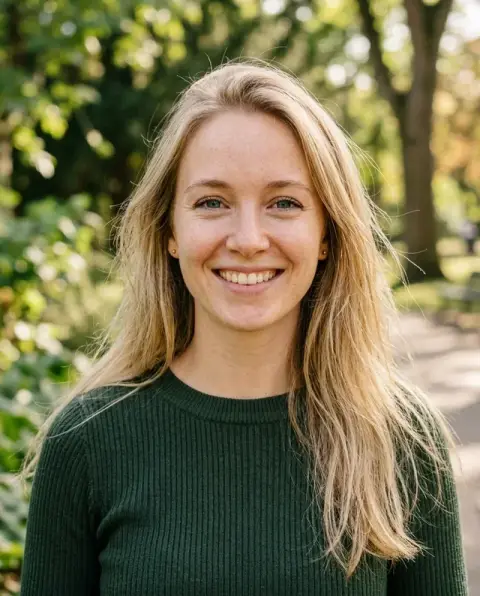
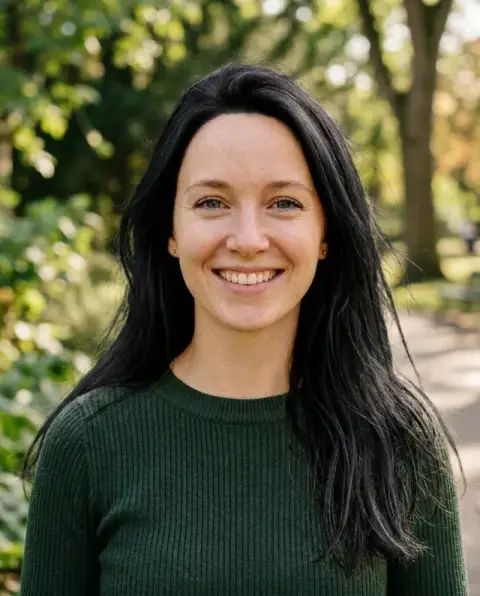
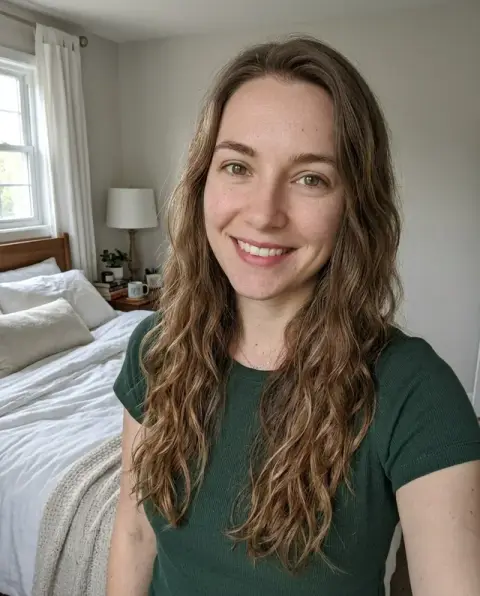
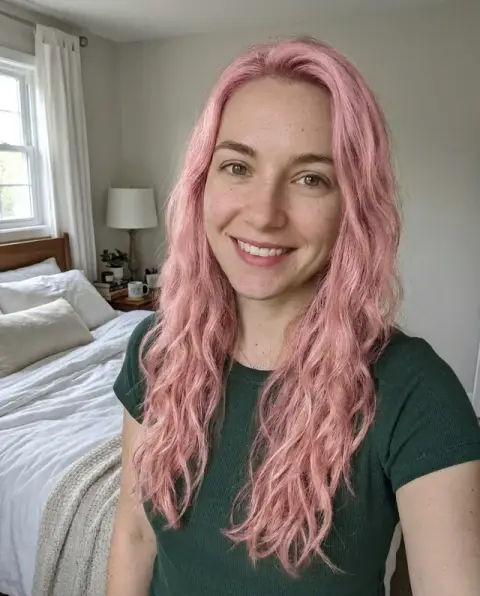
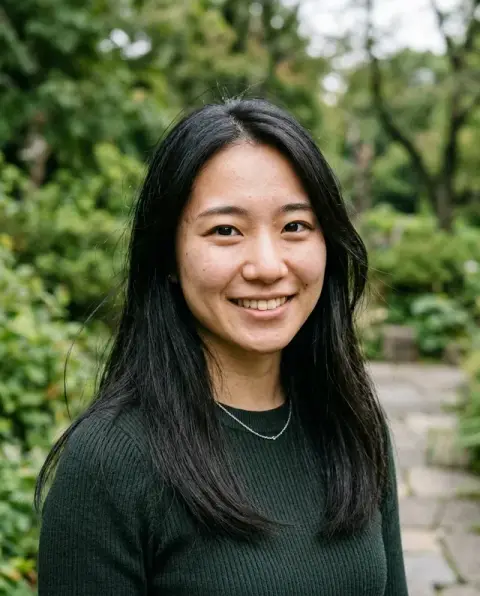
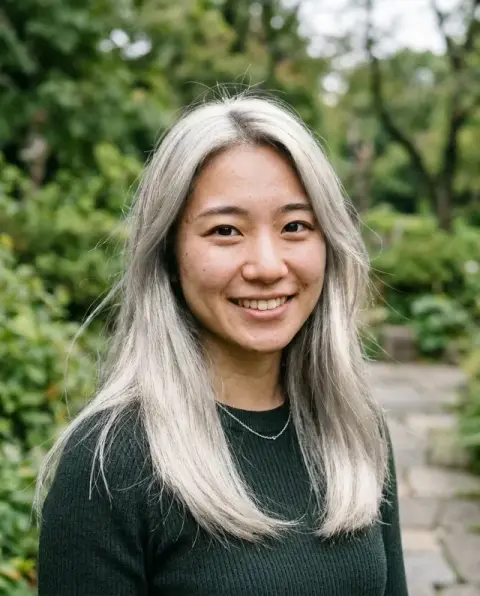
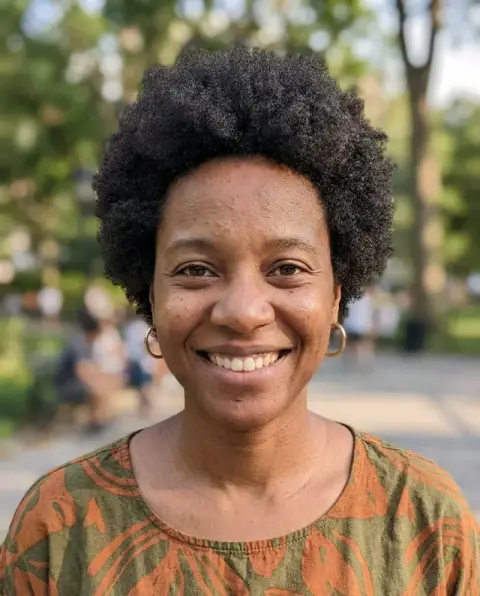
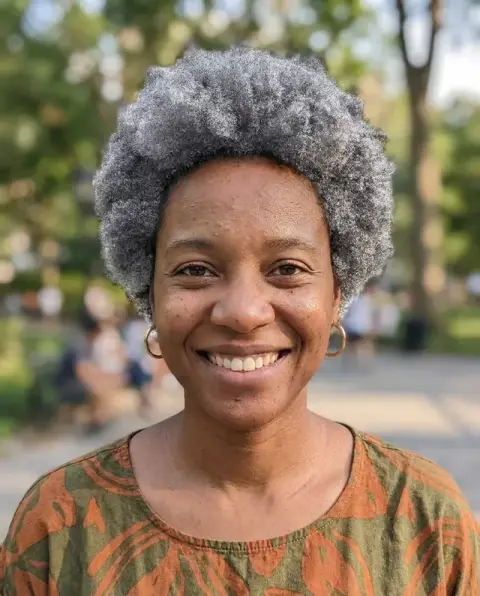
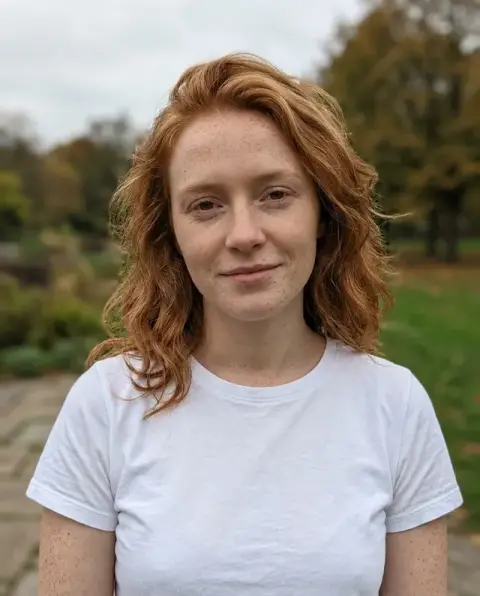
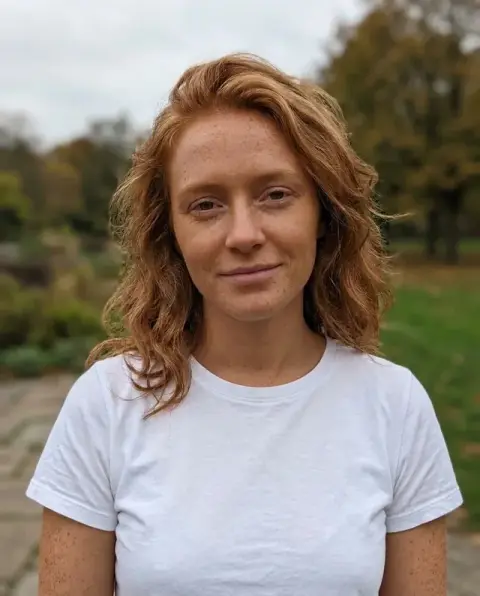
Hair color changer results, from platinum to lavender.
Real results from this page's default settings in one click, not retouched.How examples are made

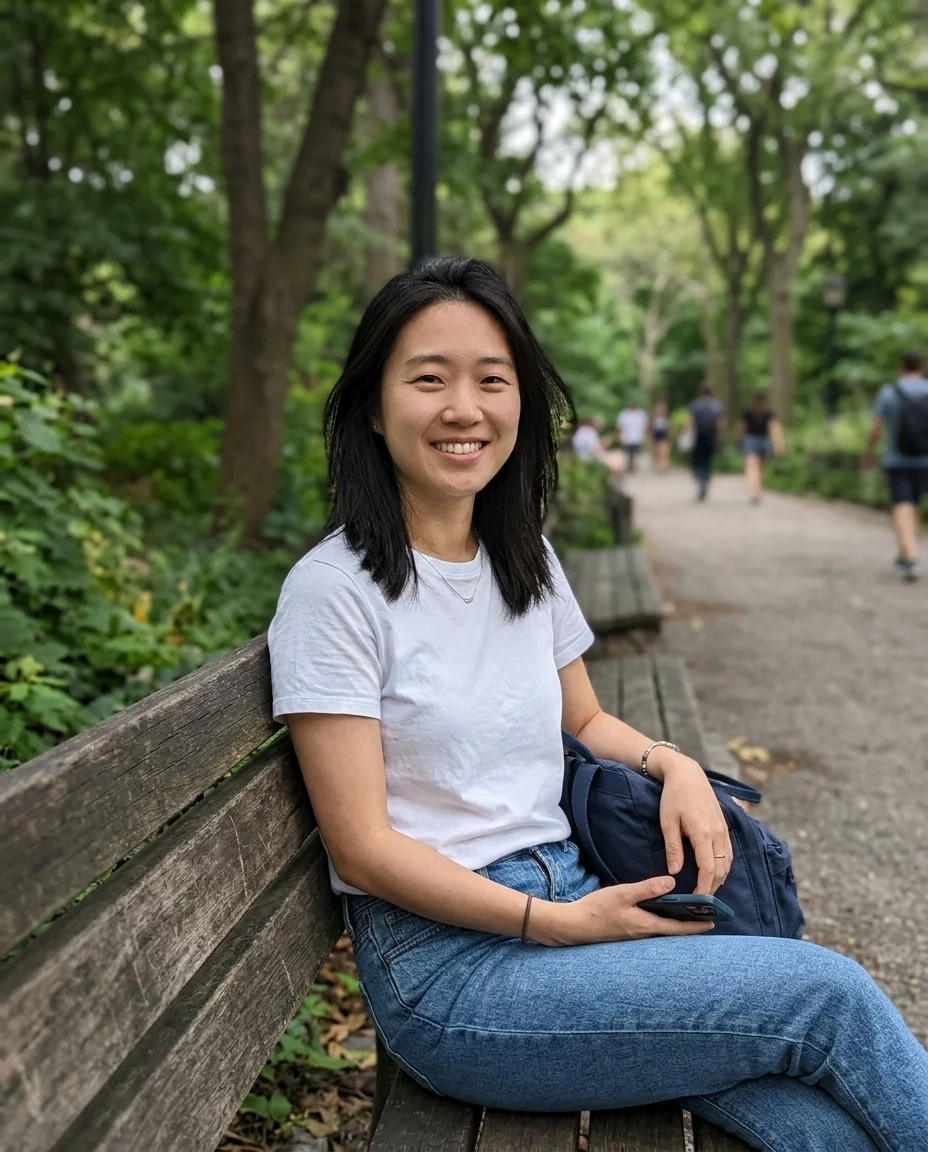
“platinum blonde”


The same man with copper red hair
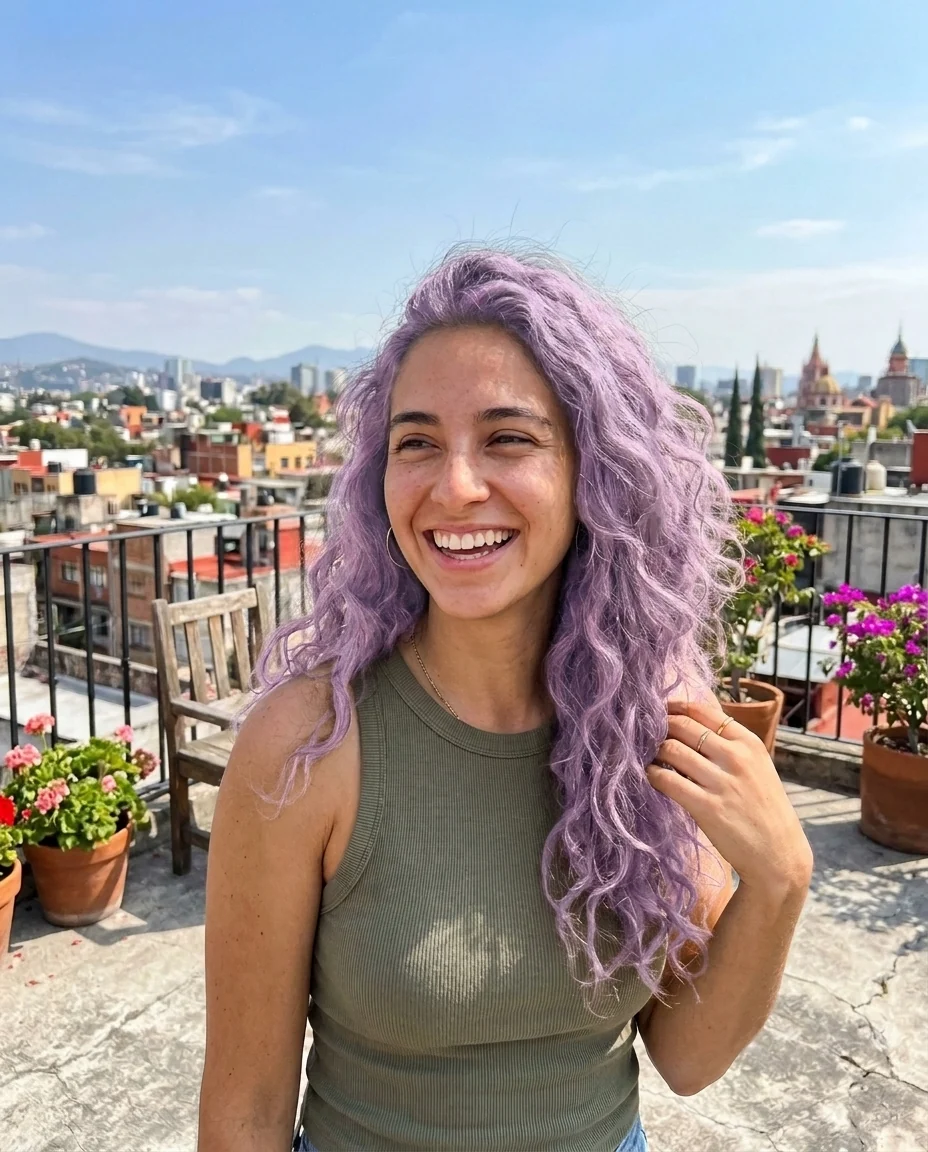
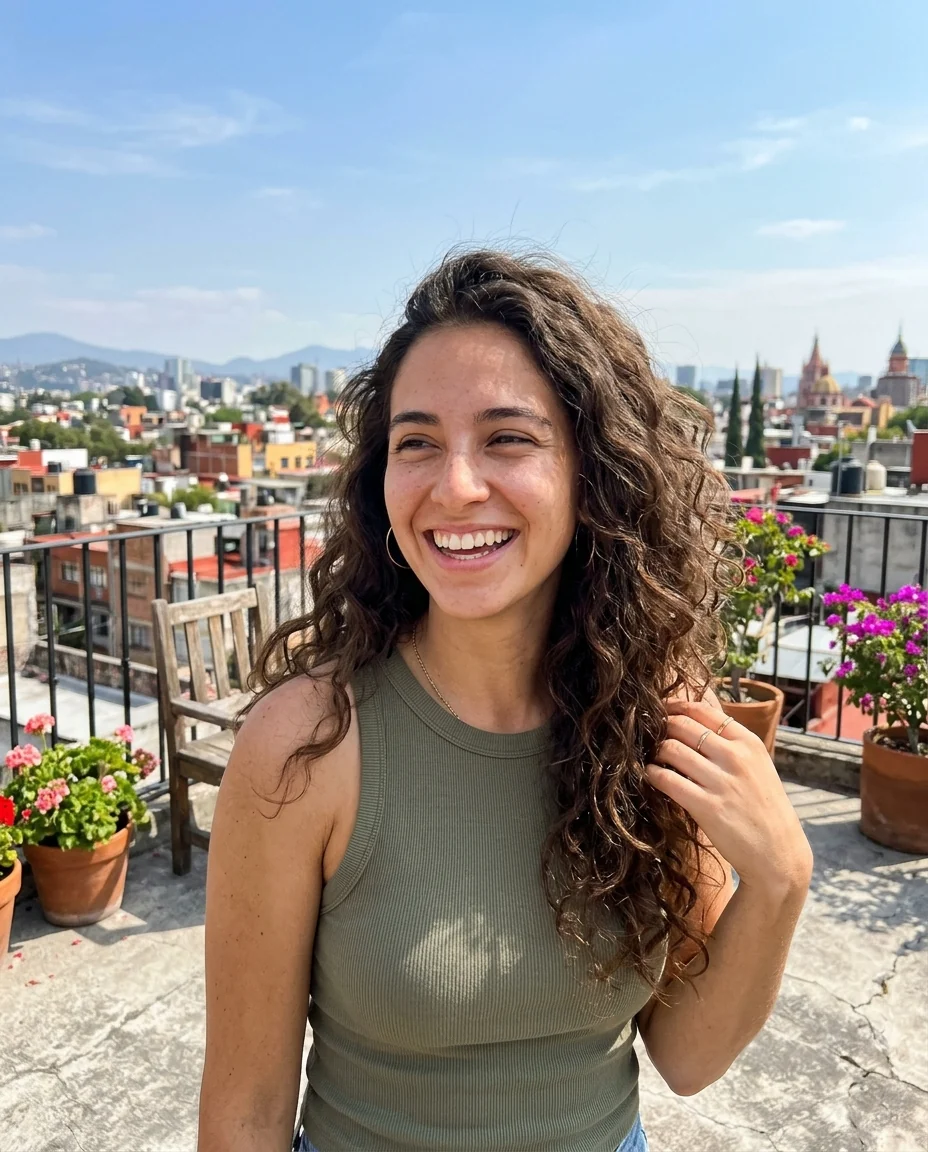
“pastel lavender”
How the AI hair color changer recolors without touching the cut.
Only the color changes
Cut, length, texture and parting stay exactly as they are.
Any shade
Name a color or a technique like balayage or highlights.
Natural highlights
Color follows the light in the photo, with real variation through the hair.
AI Hair Color Changer, step by step.
01
Upload a photo
Any photo where your hair is clearly visible.
02
Name a color
Write a shade, or leave it empty for a rich copper red.
03
Download
Save it, or try the next shade on the same photo.
Deciding on a shade with a hair color changer.
- Weighing the jump to blonde
- Going from dark brown to blonde can mean months of lightening. Upload a daylight photo, try two or three blondes, and decide whether the shade suits your skin before you commit to bleach.
- The first greys
- Some people blend early greys with a warm brown, others go fully silver. Preview both on the same photo and see which one you would rather wake up to.
- A fashion color for the summer
- Pink, teal or lavender look great on someone else's photo. See them on your own face before buying a semi-permanent dye or booking a bleach session.
- Starting a colorist consultation
- Bring the preview of "honey balayage" or "copper red" to your appointment, so you and your colorist start from the same picture rather than a vague description.
AI Hair Color Changer: best photos and fixes.
Photos that show true color
Daylight near a window is the most honest light for hair color. Warm indoor bulbs push everything toward orange, and phone night mode flattens shine, so a new shade can look duller or brassier than it would in real life. Face the camera with your hair visible down to its ends, and avoid beauty filters that already shift the tone.
Naming the exact shade
"Blonde" covers dozens of colors. Write the shade the way a colorist would: "cool ash blonde", "honey blonde with darker roots", "copper red", "silver grey", "pastel lilac". Adding a technique helps too, such as "balayage", "face-framing highlights" or "solid all-over color". Compare two close shades in the same photo; the difference is often clearer than in a salon swatch book.
Going from dark to very light
The tool shows the finished color, not what your hair would go through to get there. Turning black hair platinum in a photo takes seconds; in a salon it can take several sessions of lightening. Use the result to decide whether you like the shade on you, then ask your colorist how realistic it is for your hair.
Curly, textured and grey hair
Curls and coils keep their pattern; only the color changes, including the lighter and darker strands that make curls look three-dimensional. Grey hair takes new color evenly. If the result comes back flat and wig-like, write "keep natural shine and dimension" in the instructions, or use a sharper photo where individual strands are visible.
If the cut or skin changes too
Only the color is meant to change. If your length, parting or fringe shifts, regenerate once; it usually comes from the model guessing hair it cannot see clearly. Very bright colors can cast a tint onto the forehead and ears. Writing "skin tone unchanged" in the instructions keeps your complexion as it was. Use a sharp photo.
Eyebrows and overall look
Your eyebrows keep their color, so a big change can leave them looking out of place: very dark brows under platinum, or very light brows under black hair. The preview shows that contrast honestly. If it looks odd, try a shade closer to your natural color, or ask your colorist whether a brow tint after the appointment would help.
Hair color changer questions before the dye goes on.
Can I try a specific shade?
Yes. Name it in the instructions box, such as chestnut brown or pastel lavender. With no shade given, the tool picks a natural copper red. For [blonde](/tools/blonde-hair-filter), [black](/tools/black-hair-filter), [grey](/tools/grey-hair-filter) or [pink](/tools/pink-hair-filter) there are dedicated filters with preset shades.
Does it change my haircut too?
No. Only the color changes. Length, texture and style stay as in your photo. To try a new cut instead, use the [hairstyle changer](/tools/hairstyle-changer).
Does it work on curly or dark hair?
Yes. Curls keep their shape, and dark hair can go lighter, including blonde, without looking flat.
Does it work on a photo with several people?
It is made for one person. For a group photo, crop to the person you want first, so only their hair is recolored.
Is the Hair color changer free?
Yes, you can try it free. New accounts get 25 free credits, and one generation here uses 9 credits. You sign in with your email; no card needed. Results have no watermark. After that, credit packs never expire, and your first one is half price.
Can I try several shades on the same photo?
Yes. Run it again with a new shade; each run uses 9 credits. If a run fails, its credits are refunded automatically.
Which files can I upload, and does it work on a phone?
JPG, PNG or WebP, up to 8 MB per image, from a phone browser or a computer. On a computer you can also scan a QR code to send a photo from your phone; the link works for 10 minutes.
Are my photos kept or used to train AI?
Results stay in My files for 48 hours, or 30 days once you've bought a credit pack, and you can delete them sooner. Your photos, prompts and results are not used to train AI models.
Try these prompts
Guides on the blog.
 What hair color suits my skin tone? A simple guideThe secret isn't how light or dark your skin is, it's the undertone. Three quick tests, the shades that suit warm, cool and neutral skin, and how to preview them.
 FaceApp alternatives for age, gender and smile filtersFaceApp made the aging filter famous. Alternatives for age, gender swap, smile and hair effects, what to check on privacy and realism, and which to choose.
 Nano Banana prompts for photo editing: 40 examplesThe prompt pattern that gets clean edits from Nano Banana, and 40 copy-ready examples for backgrounds, light, clothes, objects, style and restoration.

