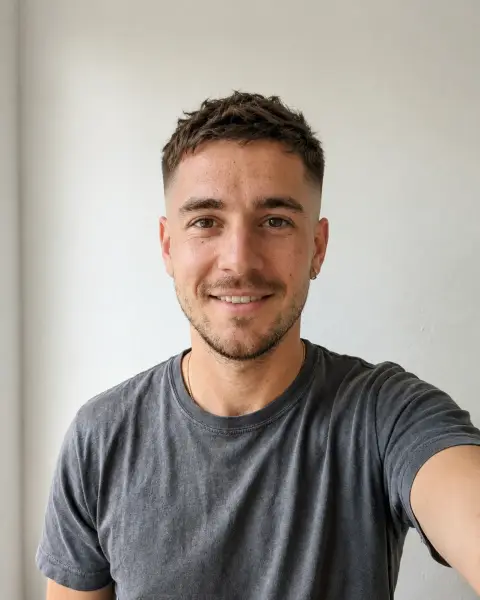
Hairstyle Changer for Men
Try the cut on your own photo before the barber.
Drop a photo
or paste with ⌘V · JPG · PNG · WebP · up to 8 MB
No photo handy? Try one of ours.
More like this.












Hairstyle Changer for Men examples.
Real results from this page's default settings in one click, not retouched.How examples are made


Low fade


Textured crop


Slick back
Hairstyle Changer for Men features.
Barber cuts
Fades, crops, slick backs and longer styles.
Your hairline
The new cut follows your real hairline.
Beard kept
Facial hair stays as it is.
Hairstyle Changer for Men, step by step.
01
Upload a selfie
Hair visible, facing the camera.
02
Pick a cut
Or choose Custom and describe it like you would to your barber.
03
Show your barber
Save the result and bring it to the chair.
Hairstyle Changer for Men use cases.
- Before the barber
- Pick a cut you know suits your face.
- Growing it out
- See the longer style before you commit months to it.
Hairstyle Changer for Men: best photos and fixes.
Fade, crop, slick or flow
Fade gives short, graduated sides with more length on top. Crop gives a short, textured French crop with a fringe. Slick gives a slicked-back look with a matte finish. Flow gives longer hair swept back, reaching the collar. Choose Custom for anything else, such as "buzz cut with a line" or "curly top with a taper".
Describe it like a barber
Barbers think in fade height, top length and styling. Write "mid skin fade, 5 cm on top, textured and pushed forward" and you get a result a barber can copy. Show them the image and the words.
Receding hairlines
Your hairline is kept exactly as it is, so the preview shows how each cut works with it. Short textured crops with a little fringe brought forward often suit a receding hairline; slicked-back styles show it more. Compare a crop and a slick on the same photo to see which you prefer, and show your barber the result.
Seeing the cut with your beard
Your beard and moustache stay exactly as they are, so you see the new cut with the facial hair you have today. That is useful: a skin fade next to a full beard reads very differently from one next to stubble. If you are planning to change the beard too, compare a cut with a softer fade, which blends into most beard lengths.
Photos for a haircut preview
A front-facing photo with the whole head visible, from the top of your hair to your chin, gives the most accurate result. No caps, hoods or headphones. Soft daylight shows the hairline and the shape of the head. A second photo from a three-quarter angle shows how the sides and fade look, which a front view hides.
Thick, thin and curly hair
The preview can make thin hair look fuller than it would really be after the cut, especially in styles that rely on volume, like a quiff. Very thick hair may look more controlled than it would without product. Curly hair keeps its curl pattern in the new shape. Ask your barber whether your hair type can hold the look you like.
Fade height and head shape
A high fade shows more of the head's shape at the sides and back, a low fade less. If your head is flatter at the back or has a bump, a low or mid fade with a little more length is more forgiving. Write the fade height in the instructions and compare two heights on the same photo before you sit in the barber's chair.
Hairstyle Changer for Men FAQ.
Will it keep my receding hairline?
Yes. The cut follows your own hairline so the preview is honest.
Can I describe a cut that is not listed?
Yes. Choose Custom and write it, for example "mid taper with a quiff".
Does it change my beard?
No. Facial hair stays the same. Use the beard filter to try one.
Is the Hairstyle changer for men free?
Yes, you can try it free. New accounts get 25 free credits, and one generation here uses 9 credits. You sign in with your email; no card needed. Results have no watermark. After that, credit packs never expire, and your first one is half price.