EXIF viewer
See what a photo says about where and how it was taken, then remove it.
Drop a photo
or paste with ⌘V · JPG · PNG · WebP, stays on your device
No photo handy? Try one of ours.
Next, with AI
 Watermark remover →
 Photo restoration →
EXIF viewer examples.
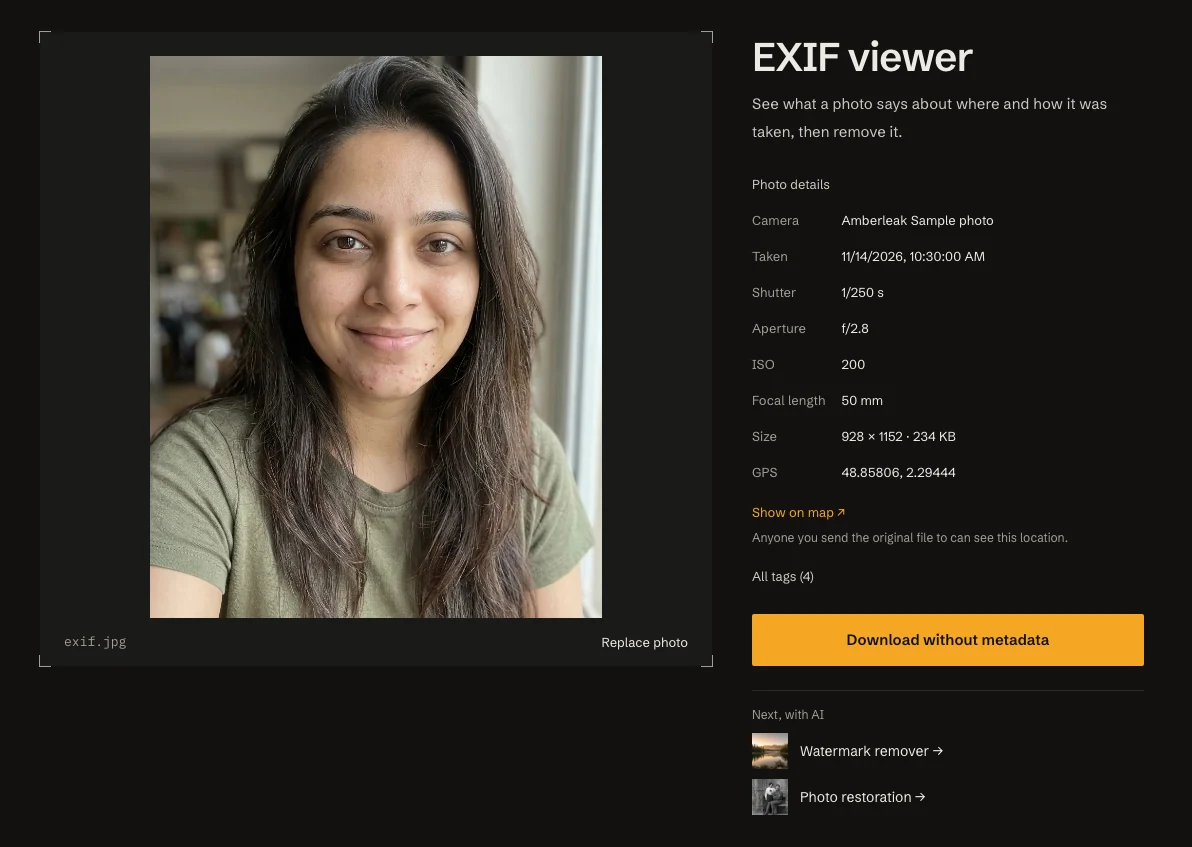

Camera data read from a JPG
EXIF viewer features.
The details that matter
Camera, lens, date taken, shutter, aperture, ISO, focal length, flash, size and software.
GPS with a map link
If the photo has coordinates, you see them with a Show on map link and a privacy note.
Download without metadata
Save a clean copy with no EXIF or GPS, ready to share.
EXIF viewer, step by step.
01
Add a photo
Drop one JPG, HEIC, PNG or TIFF-based file.
02
Read the details
Check the summary, the GPS line and the All tags list.
03
Strip if needed
Choose Download without metadata to get a clean copy.
EXIF viewer use cases.
- Before you share
- Find out whether a photo reveals your home, your workplace or your daily route.
- Checking a source
- See the date, camera and settings behind a photo you received.
- Learning from your shots
- Look up the aperture, shutter speed and ISO of a photo you liked.
EXIF viewer: best photos and fixes.
What EXIF is
EXIF is information a camera writes into the photo file itself. It records the camera and lens, the time, the exposure settings and, if location is on, GPS coordinates. You do not see it when you look at the picture, but it travels with the file. Phones add it to nearly every photo, which is why it is worth a quick check.
Why GPS is the part to watch
GPS coordinates are usually accurate to a few meters. A photo taken at home can give away your address to anyone who reads its data. The same goes for a child's school or a place you visit often. Most phones add location by default for photos taken with the camera app, so a quick look takes seconds and can prevent a problem.
Where the data is stripped and where it stays
Most social networks remove EXIF when you upload, though you should not rely on that for every site. Data is more likely to survive when you send the original file: email attachments, cloud links, AirDrop, and messaging apps that offer Send as file or Send as document. Screenshots carry no camera data. Check the file itself if you are unsure.
The settings, explained
Shutter is how long the sensor was exposed, such as 1/250 second. Aperture, shown as f/1.8 or f/8, is the lens opening: a smaller number lets in more light. ISO is the sensor's sensitivity; high values add noise. Focal length is the zoom, and the 35 mm equivalent lets you compare cameras with different sensor sizes. They explain why a shot looks the way it does.
Which files are read
The tool reads JPG, HEIC, PNG and TIFF-based files. WebP metadata is usually not read, so a WebP will often show nothing. A photo may also be empty on purpose: images sent through most messaging apps, and screenshots, have no camera data, and the tool tells you when that is the case. All tags lists everything found, including entries without a name.
Making a clean copy
Download without metadata saves a copy as a JPG at quality 95, or as a PNG when the original was a PNG. The new file has no EXIF or GPS data. Because it is saved again, a JPG is recompressed once at a high quality, and the original date and camera details are gone too. Keep the original file for your own records.
EXIF viewer FAQ.
How do I see the EXIF data of a photo?
Add the photo and the details appear: camera, date, settings and GPS if present. All tags shows everything the file contains.
Does my photo show where it was taken?
Only if it has GPS coordinates. If it does, the tool shows them with a Show on map link. Many phones add location by default.
Do social networks remove location data?
Most do when you upload a photo. But sending the original file by email, AirDrop or Send as file in a messaging app can keep it.
How do I remove EXIF and GPS data?
Use Download without metadata. You get a clean JPG, or a PNG for PNG files, with no camera or location data.
Why does the tool say there is no camera data?
Screenshots and photos sent through most messaging apps have no camera data, so there is nothing to show. WebP metadata is also usually not read.
Is the map link a risk for my privacy?
The photo is read on your device and never uploaded. Only if you click Show on map does your browser open OpenStreetMap for that location.
Is it free?
Yes. Quick tools are free, need no sign-in and use no credits; your images stay in your browser. The AI tools linked below need an account.