Vintage Filter
Faded film, sepia or a disposable camera look.
Drop a photo
or paste with ⌘V · JPG · PNG · WebP · up to 8 MB
No photo handy? Try one of ours.
Vintage Filter examples.


70s film
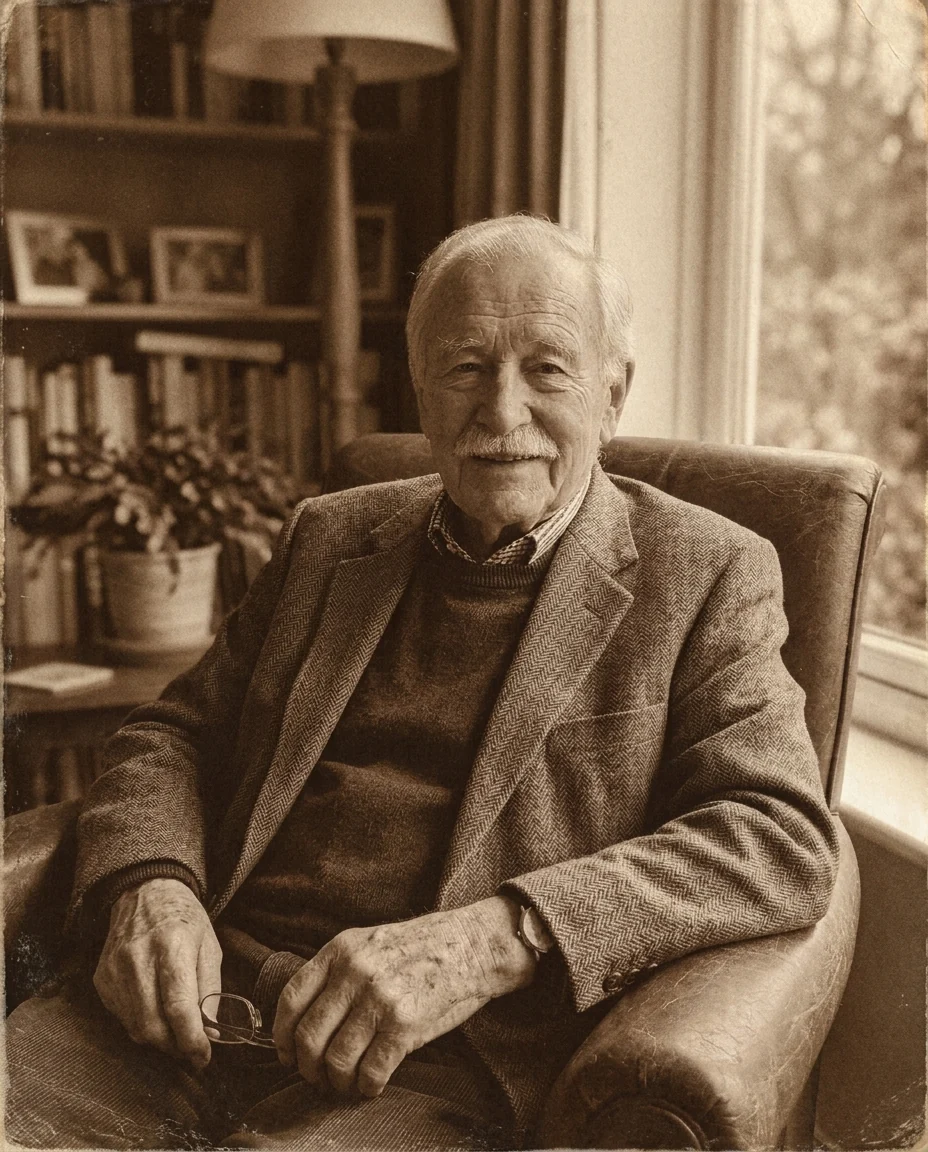

Sepia
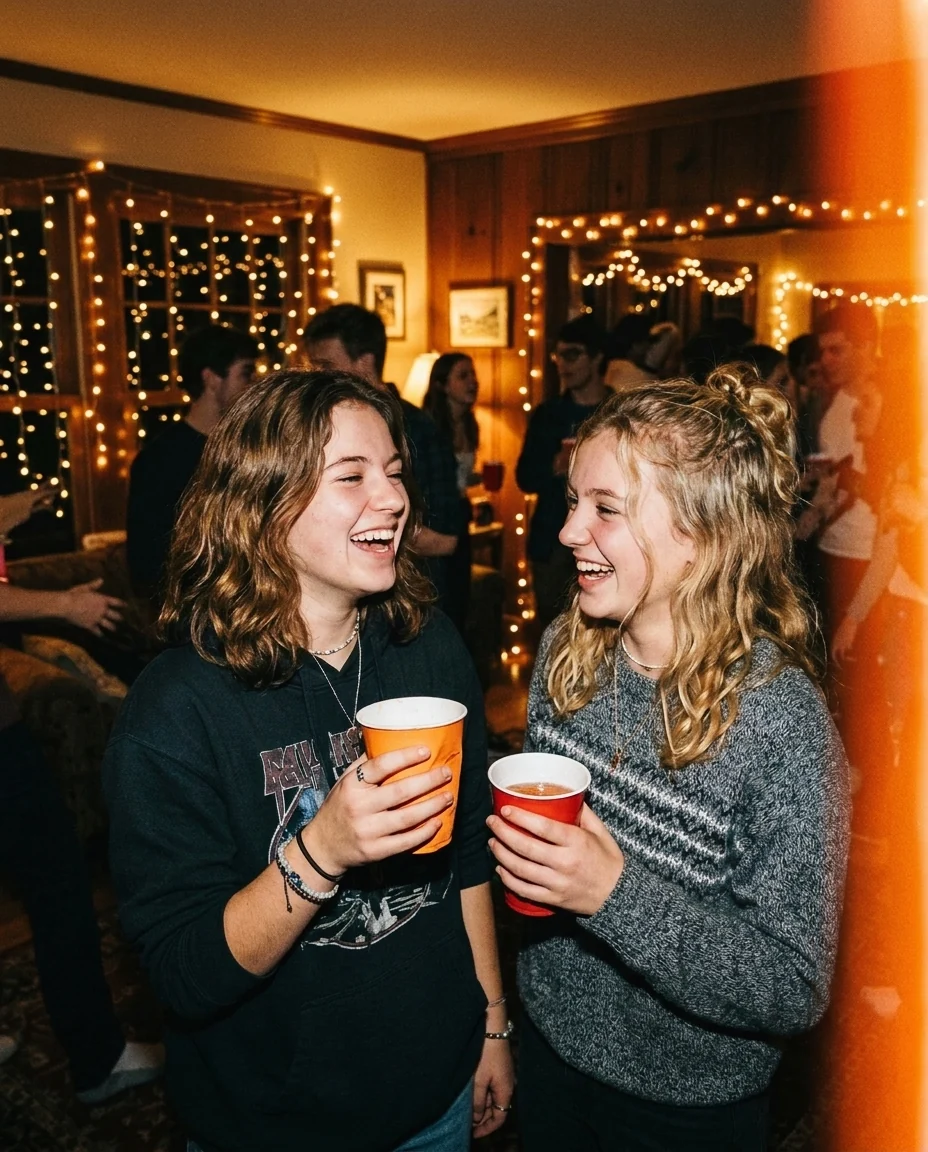

90s disposable
Vintage Filter features.
Four old looks
70s film, sepia, 90s disposable or old print.
Grain and vignette
Film grain on by default, vignette optional.
Scene kept
Only color, tone and texture change.
Vintage Filter, step by step.
01
Upload a photo
A modern photo from your phone.
02
Pick a look
Then turn grain or vignette on or off.
03
Download
Post it or print it.
Vintage Filter use cases.
- Instagram feeds
- A consistent film look across your posts.
- Throwback themes
- Make party photos look like they're from the 90s.
- Gifts and invitations
- A sepia portrait for an anniversary card.
Vintage Filter: best photos and fixes.
Photos that age well
Almost any photo can be made vintage, but some feel more convincing: people, street scenes, cars, beaches and interiors with wood and fabric. A modern phone in the frame, a giant TV or an electric scooter gives the game away; crop those out or accept the playful mix. Photos with natural light age better than ones with heavy editing or strong filters already on them.
Choosing a look
70s film is warm and faded, with soft blacks: the classic family album feel. Sepia turns the photo brown and monochrome, like a portrait from the early 1900s. 90s disposable gives the hard flash, saturated colors and light leaks of a cheap party camera. Old print adds creases, scratches and yellowed paper, as if the photo had lived in a shoebox.
Grain and vignette
Film grain is on by default because real film always has it; turn it off for a cleaner print look. Vignette darkens the corners, which is typical of old lenses and draws the eye to the middle of the photo. It works especially well with sepia and old print. Both are subtle settings, so compare with the slider to see them.
The scene stays the same
Only color, tone, grain and print texture change. People, faces, clothes and everything in the scene are kept, so the photo is still yours, just older.
Making a set match
For a consistent series, such as a whole party album, use the same look and the same toggles for every photo. Photos from similar light match best; very dark photos and very bright ones can still end up looking different.
Related tools
Photo restoration does the opposite: it repairs real old photos with scratches and fading. Colorize photo adds color to black-and-white images. The ps2 filter gives a retro video game look, glitch effect adds digital distortion, and duotone photo makes a two-color graphic version of any picture.
Vintage Filter FAQ.
Will it add a date stamp?
No. Ask for one in the instructions if you want it, for example "an orange date stamp in the corner".
Can I make it black and white?
Sepia gives a warm monochrome. For plain black and white, choose Old print and write "black and white" in the instructions.
Does it change the people?
It shouldn't. Mainly color, tone, grain and print texture change; people and the scene are kept.
Is the Vintage filter free?
Yes, you can try it free. New accounts get 15 free credits, and one generation here uses 13 credits. You sign in with your email; no card needed. Results have no watermark. After that, plans add credits every month and credit packs never expire.