Piercing Filter
Preview a piercing on your face before the needle.
Drop a photo
or paste with ⌘V · JPG · PNG · WebP · up to 8 MB
No photo handy? Try one of ours.
Piercing Filter examples.


Nose stud


Septum ring
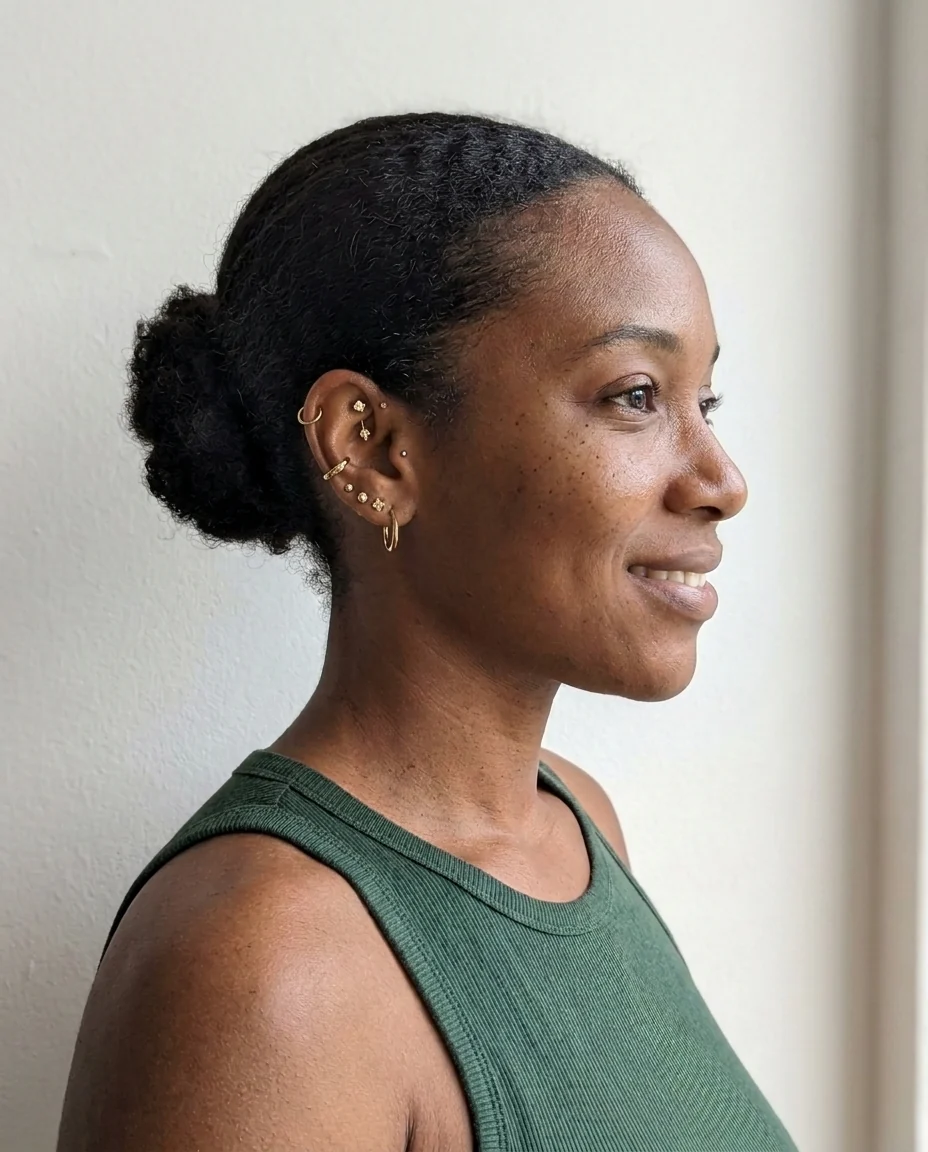
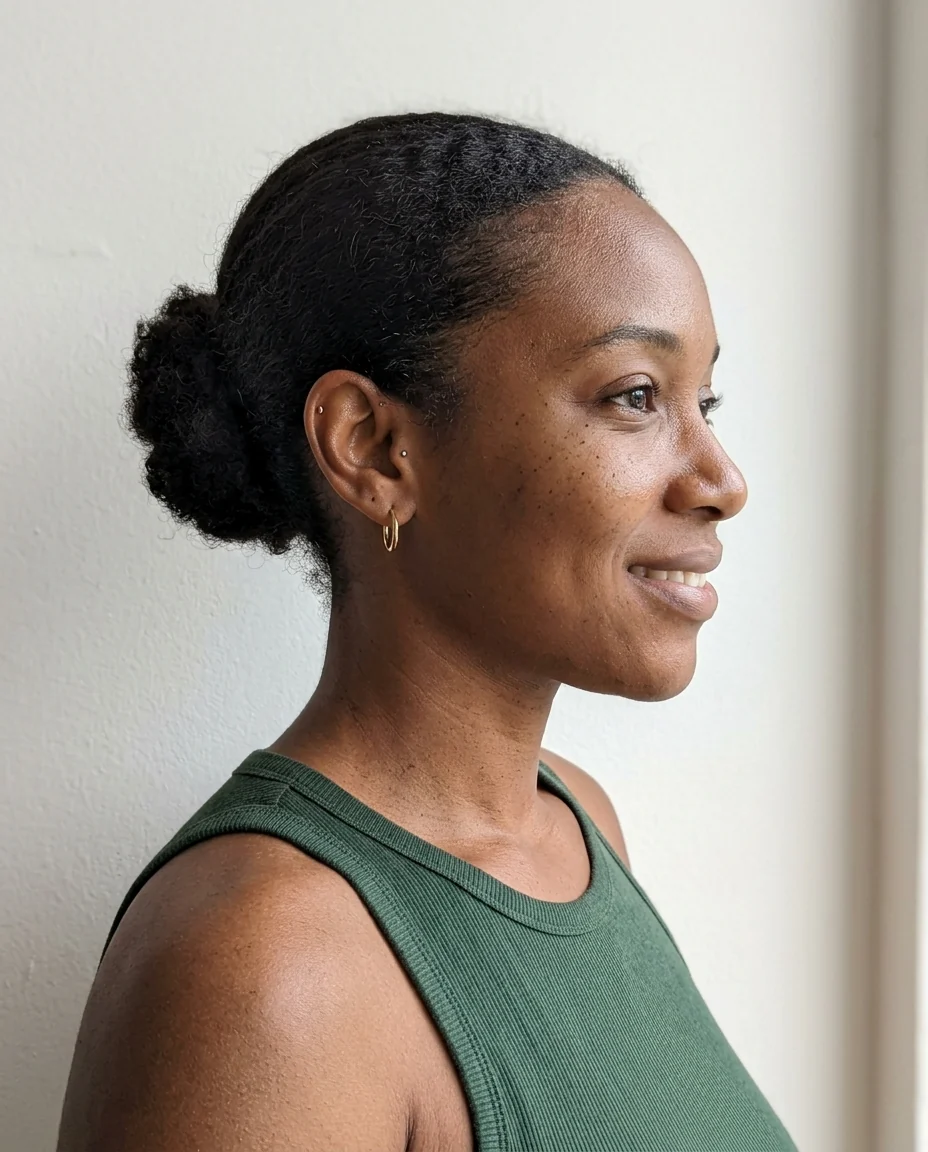
Gold ear stack
Piercing Filter features.
Five piercings
Nose, septum, lip, eyebrow or ear stack, or describe your own.
Placed like the real thing
Right spot, right size, real reflections.
Any metal
Silver by default; write gold or rose gold.
Piercing Filter, step by step.
01
Upload a selfie
The spot you want pierced must be visible.
02
Pick a piercing
Or choose Custom.
03
Compare
Try two or three before you decide.
Piercing Filter use cases.
- Before a piercing
- See which side and size suits you.
- Choosing jewelry
- Compare a stud, a hoop and a ring.
- Characters
- Add piercings to a photo for a costume or persona.
Piercing Filter: best photos and fixes.
Photos for each piercing
Face piercings need the face toward the camera: a front-on selfie for septum, lip and eyebrow, and a slightly turned head for a nose stud on one side. Ear stacks need the ear visible, so tie your hair back and turn about three quarters to the side. Close, sharp photos show the jewelry at a believable size; in a full-length photo a stud is only a few pixels and hard to judge.
Choosing the side and spot
Nose studs and lip rings go on one side, and by default the side is chosen to suit the photo. If you have a preference, write it: "left nostril", "right side of the lower lip". For eyebrows, write "left eyebrow" or "right eyebrow". You can also describe positions piercers use, such as "high nostril", "medusa", "monroe", "conch" or "daith", in Custom.
Metal and size
Polished silver is the default because it suits most skin tones and lighting. Write "gold", "rose gold" or "black titanium" to change it. Sizes are kept realistic, but you can ask for "a tiny 2 mm stud" or "a larger hoop". Gemstones work too: "small opal stud", "clear crystal". Real jewelry catches light, so photos with a visible light source make it look most real.
Several piercings at once
To see a full look, describe it in Custom: "nose stud on the left and a septum ring" or "two lobe studs and a helix hoop". Two or three pieces work best in one go. For more, run the filter again on the result. The ear stack option already adds several pieces to one ear, which is the most common way people plan a curated ear.
Existing piercings
Jewelry you already wear is kept, and the new piercing is added alongside. To swap a piece, describe it: "replace the nose stud with a small hoop". Earrings hidden behind hair can't be seen in the result, so pull hair back for an ear stack. Glasses that cover the eyebrow make an eyebrow piercing harder to place; take them off for the photo.
Before the real thing
A preview is a good way to choose a side, a size and a metal before your appointment, and to show your piercer what you mean. It can't tell you how a piercing will heal or whether your anatomy suits it; that is what the piercer checks. Pair it with the eyebrow filter or the hairstyle changer if you are planning a whole new look.
Piercing Filter FAQ.
Will it look like a real piercing?
The jewelry is sized and placed like a real piercing, with reflections that match the photo. Check close-ups at full size.
Does it show swelling or healing?
No. It shows the jewelry only, as a healed piercing would look.
Will the rest of my face change?
No. Only the jewelry is added; your face, expression and the background are kept.
Is the Piercing filter free?
Yes, you can try it free. New accounts get 15 free credits, and one generation here uses 13 credits. You sign in with your email; no card needed. Results have no watermark. After that, plans add credits every month and credit packs never expire.