Banner Generator
A wide banner with your headline, in seconds.
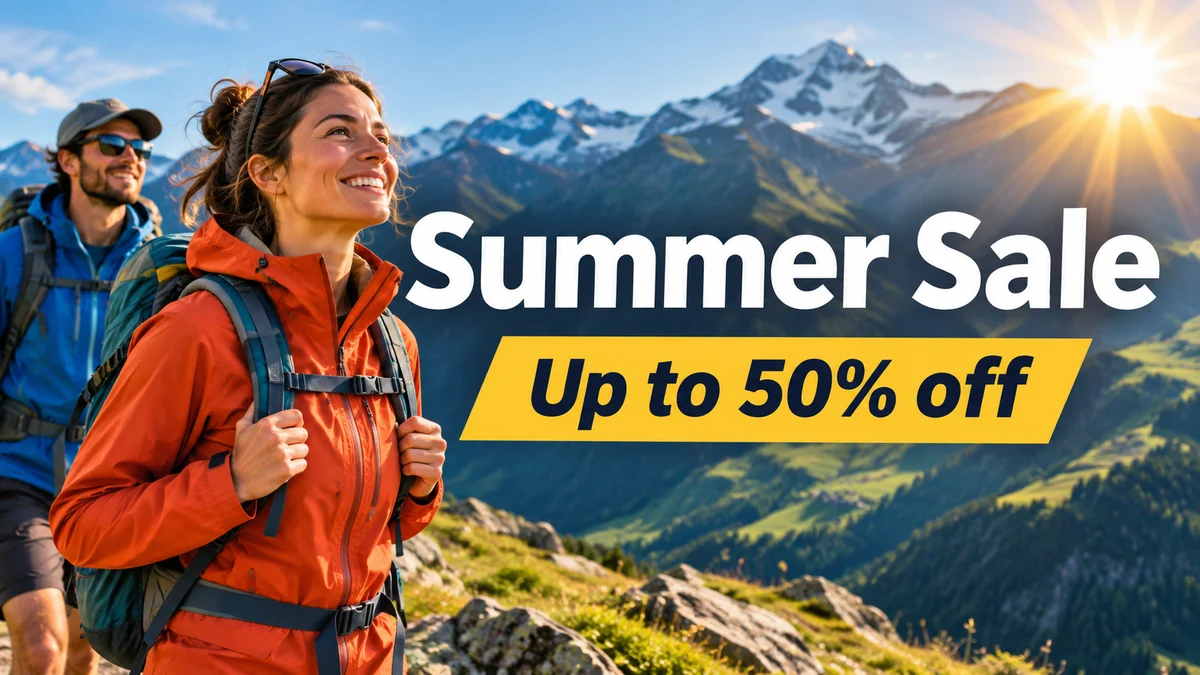 Example output
Banner Generator examples.
Store sale
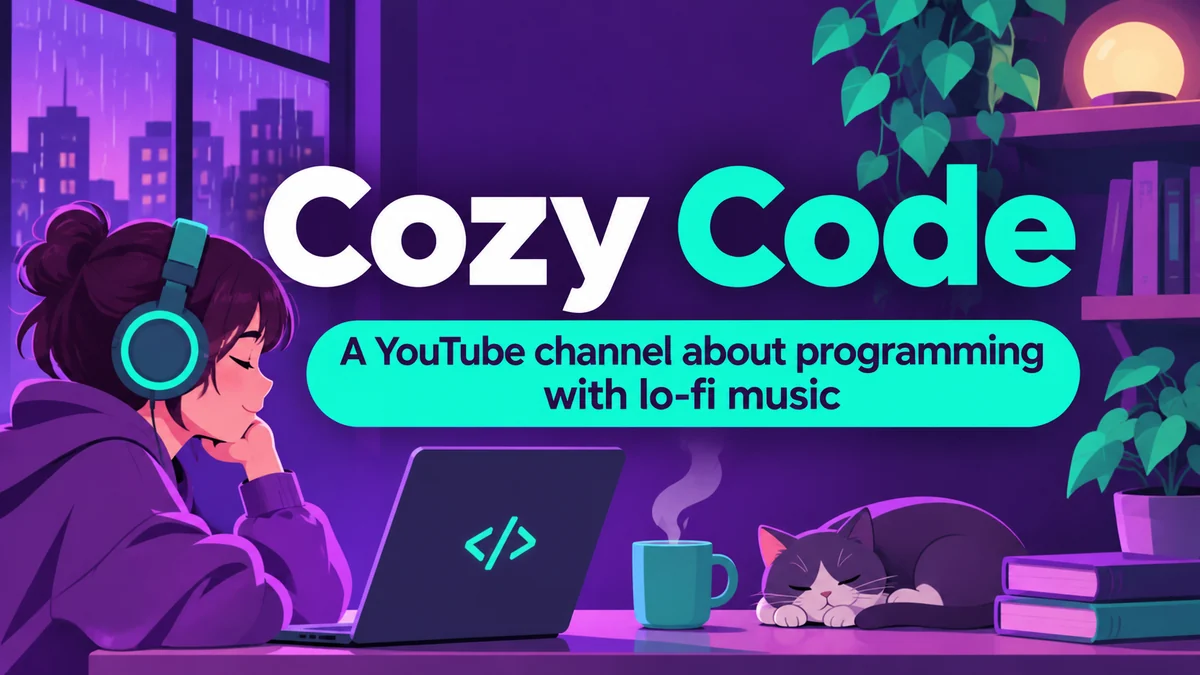
Channel art
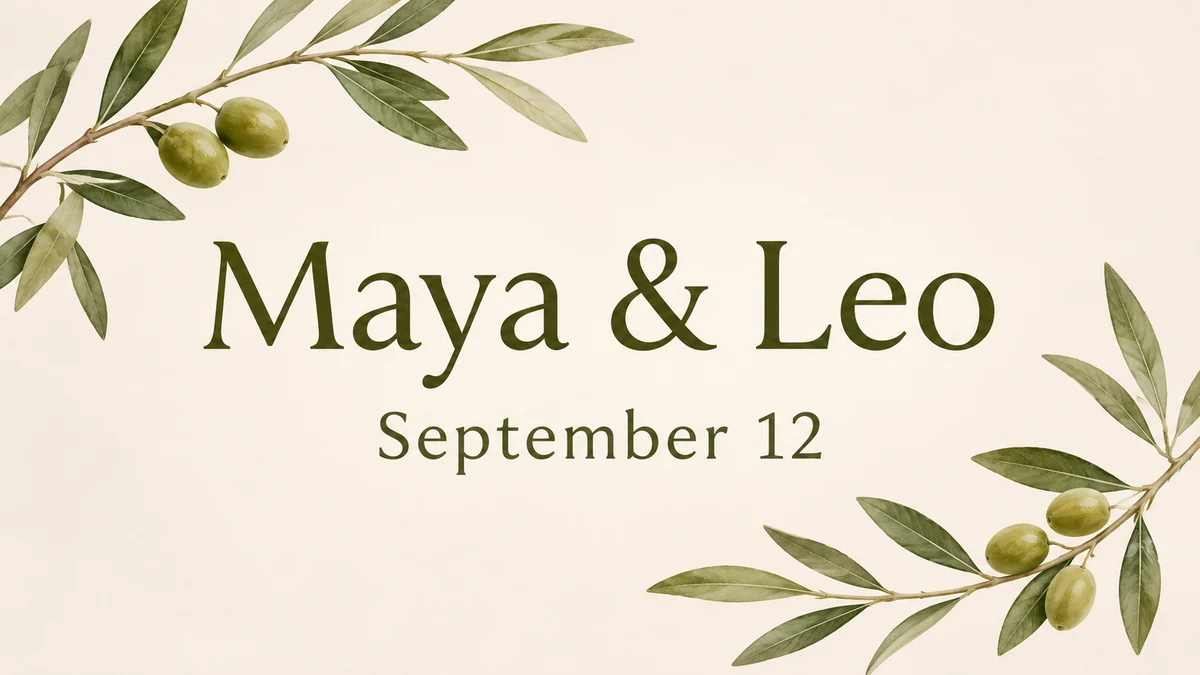
Wedding header
Banner Generator features.
Your headline, big and clear
With an optional subline.
Three styles
Bold, photo or minimal.
Safe for cropping
Text kept in the middle.
Banner Generator, step by step.
01
Write a headline and idea
"Headline: Summer Sale. An outdoor store".
02
Pick a style
Bold, Photo or Minimal.
03
Download and crop
Fit it to your platform's size.
Banner Generator use cases.
- Websites
- Hero headers for a homepage or landing page.
- Social media covers
- Channel art and page covers.
- Events
- Banners for weddings, launches and meetups.
Banner Generator: best photos and fixes.
Writing the headline
Banners are seen for a second, so keep the headline under five words: "Summer Sale", "Cozy Code", "Maya & Leo". Add a short subline with "Subline:" if you need one, such as a date or discount. Then describe the image or mood: "mountains and sunshine", "lo-fi music, purple and teal".
Spelling
Text is meant to match what you type exactly. Check every letter before you publish, especially names and dates. Short headlines are the most reliable; if a word comes out wrong, regenerate or shorten the line; names with unusual spellings break most often. For long legal text or prices, add them in a design app instead.
Sizes and cropping
Banners come in a wide 16:9 shape with the important text in the middle. Every platform crops differently: YouTube shows only the center on phones, Facebook and LinkedIn covers are shorter, website headers vary. Crop the result to your platform's exact size in a design app, keeping the headline inside the safe area.
Choosing a style
Bold uses strong color blocks and big type, good for sales, channels and tech. Photo puts clean type over a full photographic background, good for travel, outdoor and food brands. Minimal uses space and soft color, good for weddings, portfolios and premium brands.
Your logo and photos
Upload a logo or a product or team photo and it is included in the banner. A logo on a plain or transparent background works best; for an exact logo, add it afterwards in a design app. Photos work best when the subject is clear and there's room for text beside it.
A matching set
For a launch or event, make a banner, a flyer and a thumbnail with the same colors and words, so they look like one campaign. The flyer generator and youtube thumbnail generator use the same approach. Saving the description you used makes it easy to match later.
Banner Generator FAQ.
Will the text be spelled right?
Mostly. Check every letter in names and dates before publishing; shorter headlines are more reliable.
What size are the banners?
A wide 16:9 shape. Crop it to your platform's exact size, keeping the headline in the middle.
Can I add my logo?
Yes. Upload it with your description; for an exact logo, add it afterwards in a design app.
Can I make YouTube channel art?
Yes. Make the banner, crop it to the channel-art size in a design app, and keep your channel name in the center.
Is the Banner generator free?
Yes, you can try it free. New accounts get 15 free credits, and one generation here uses 9 credits. You sign in with your email; no card needed. Results have no watermark. After that, plans add credits every month and credit packs never expire.