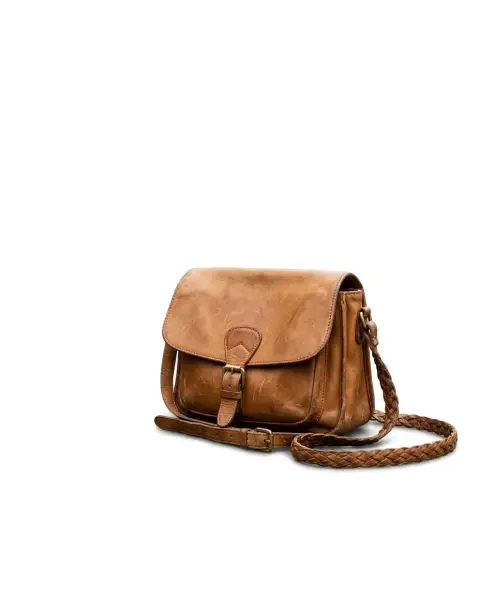
remove.bg made background removal a one-click job: upload a photo, get a transparent cutout a few seconds later. It's fast and good at people, products and animals, and it's widely used through its website, apps and API. But there are good reasons to look at alternatives: you might need more than a cutout, want a different pricing model, or already have a tool that does the job.
Here are six alternatives and what each one is best for.
What to look for in a background remover
- Edge quality: hair, fur, lace, glass and fine detail are the real test. Most tools handle a person against a plain wall. Fewer handle backlit hair.
- Output options: transparent PNG, white, a color, or a new scene.
- Resolution: some tools give a small preview and charge for full size.
- What happens next: if you need to place the cutout on a background, add a shadow or make a listing image, a tool that does that too saves steps.
- Batch processing: sellers with hundreds of products need it; most individuals don't.
- Privacy: where images are processed and how long they're kept.
1. Your phone's built-in cutout
Recent iPhones and many Android phones can lift a subject out of a photo. On iPhone, touch and hold the subject in Photos to copy it as a cutout. Many Android gallery apps have a similar feature.
Best for: quick stickers and messages. Limits: little control, no background options, edges can be rough on hair.
2. Canva
Canva has a background remover built into its editor (it owns Kaleido, the company behind remove.bg). Free accounts can try it a limited number of times; unlimited use needs a paid plan.
Best for: people who already design in Canva and want the cutout on a template right away. Limits: free accounts get a limited number of tries; unlimited use needs a paid Canva plan.
3. Adobe Photoshop and Adobe Express
Photoshop's "Remove Background" and "Select Subject" give a one-click cutout with full manual control to refine edges. Adobe Express offers a simpler, browser-based remover.
Best for: professionals who need pixel-perfect edges and further editing. Limits: Photoshop has a learning curve and a subscription.
4. Photoroom
Photoroom is built around product photos: remove the background, then place the item on a generated scene or a marketplace template. It has a mobile app and batch tools.
Best for: online sellers. We cover it in more detail in Photoroom alternatives.
5. Open-source tools
Developers can run open-source background removal models locally, for example through tools like rembg, or through plugins for GIMP and other editors.
Best for: technical users with many images, or who want everything to stay on their own computer. Limits: setup takes time; quality depends on the model you choose.
6. Our background remover
The background remover cuts out the subject and gives you four outputs in one place:
- Transparent: a PNG with a real transparent background.
- White: the subject on pure white, ready for marketplaces.
- Colour: a flat studio color that suits the subject.
- Scene: a simple, realistic setting with matching light.
There's also a toggle to keep a soft contact shadow, so products don't look like they're floating. It's tuned for difficult edges like backlit fur and hair.


 Background removerCut out the subject and get a transparent PNGTry it with your photo
You need to sign in to use it. New accounts get 25 credits, and after that you pay only for what you use, with the cost shown on the button before you generate. Credit packs never expire, and there's no subscription.
When you want a new background, not a cutout
Often the goal isn't a transparent PNG but the same photo with a better background. The background changer swaps the background for whatever you describe, "a sunny beach at golden hour" or "a marble kitchen counter", and keeps the subject and its lighting.

Tips for cleaner cutouts in any tool
The photo you start with matters as much as the tool:
- Contrast helps. A dark product on a light background, or the other way round, gives cleaner edges.
- Avoid busy backgrounds behind hair and fur when you can.
- Use good light. Soft, even light without hard shadows makes the edge easier to find.
- Shoot at full resolution. Small images give jagged edges.
- Check edges at 100 percent zoom before you use the cutout, especially around hair, handles and gaps between arms and body.
- Keep a soft shadow for products. A product with no shadow at all on a white background can look pasted in.
Quick comparison
- Fastest for a one-off sticker: your phone.
- Best inside a design workflow: Canva or Adobe Express.
- Most control over edges: Photoshop.
- Best for product listings at scale: Photoroom.
- Best for local, technical batches: open-source tools.
- Cutout plus white, color or scene in one step, pay as you go: our background remover.
Which one should you choose?
If you remove backgrounds once a month, use whatever is already on your phone or in the design app you use. If you sell online, pick a tool that produces finished listing images, not just cutouts. If edges matter, test a photo with hair or fur in two or three tools; the differences show up right away.
For the difference between transparent and white backgrounds, and when each one is right, see our post on transparent vs white backgrounds.